> For the complete documentation index, see [llms.txt](https://docs.controlbee.nl/llms.txt). Markdown versions of documentation pages are available by appending `.md` to page URLs; this page is available as [Markdown](https://docs.controlbee.nl/en/uitvoeren/processen.md).
# Processes
Create, link, review, and export process descriptions
The purpose of the process descriptions is to describe how the controls are safeguarded. Describing processes also provides insight into the structure and course of the process, who is responsible, and what output results from it.
When setting up a management system, it is important that the processes are described well. The system thus takes shape from day-to-day practice.
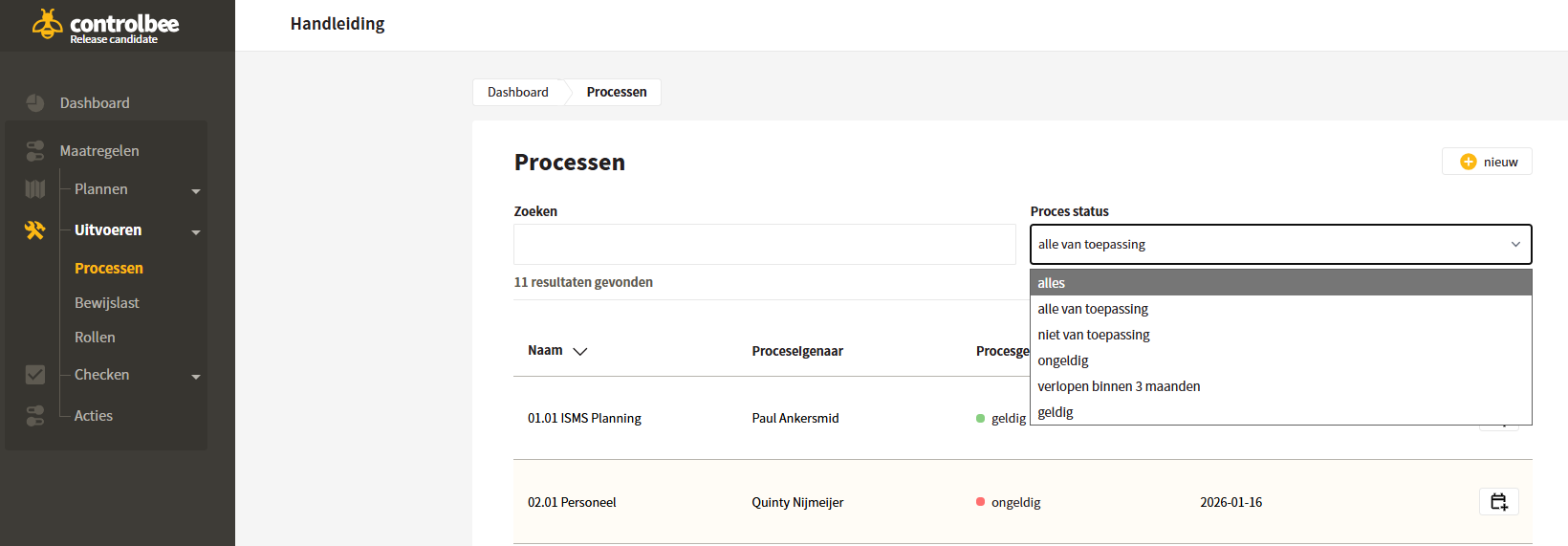
In the process overview you can find all processes, who the process owner is, what the current status is, and until when the process is valid — that is, when it needs to be audited again. You can search processes with a search term or filter on the process status.
## Create audit schedule
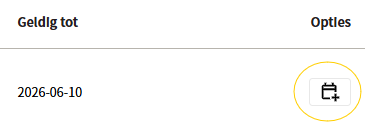
From the process overview, an audit plan can be created with the leftmost button. If an audit plan has been created, the valid-until date is overwritten with the planned audit date. See [Audit plan](/en/checken/auditplanning.md).
## Create new process
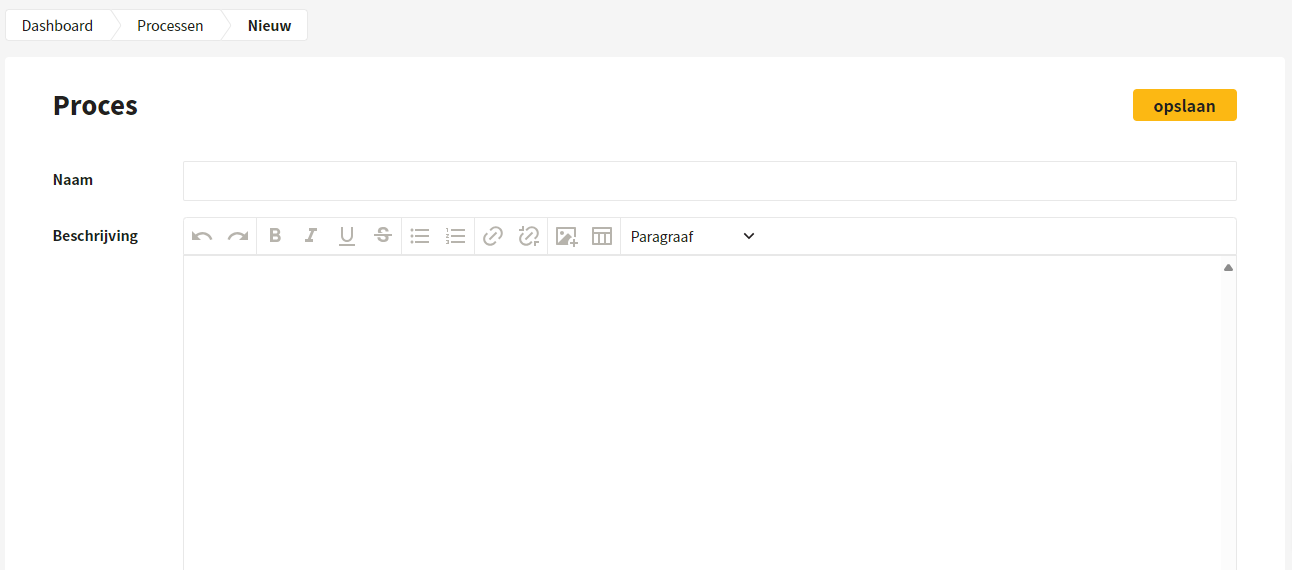
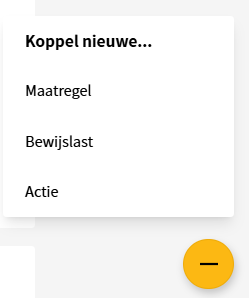
For each process, a description must be drawn up that includes all topics relevant to demonstrably carrying out the process. In addition, a process flow can be added. Sections can be added on the process page using the yellow plus at the bottom right.
## Linking process, controls and evidence
When setting up processes, a link must be made between processes, controls and evidence. Through that link, the user knows which controls are covered by which evidence, and during which process. The creation and linking of evidence is described in [Evidence](/en/uitvoeren/bewijslast.md).
## Link controls to process
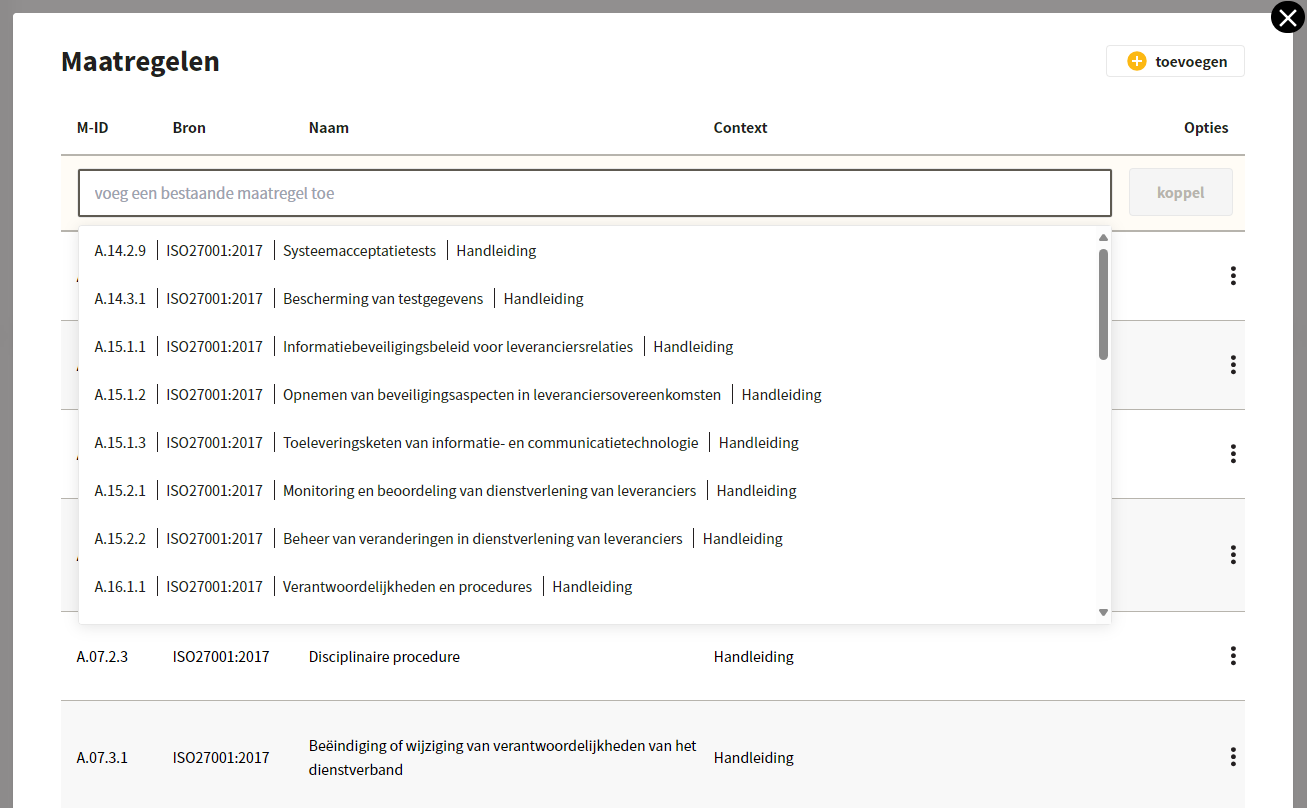
Controls can be linked by clicking edit under a process in the 'Controls' section. Then click 'Add an existing control', search for the control and click 'link'. You can also select multiple controls and link them in one go. By default, the active context is on, so all controls from that context are visible. In addition, the source can be selected.
## Link process owner
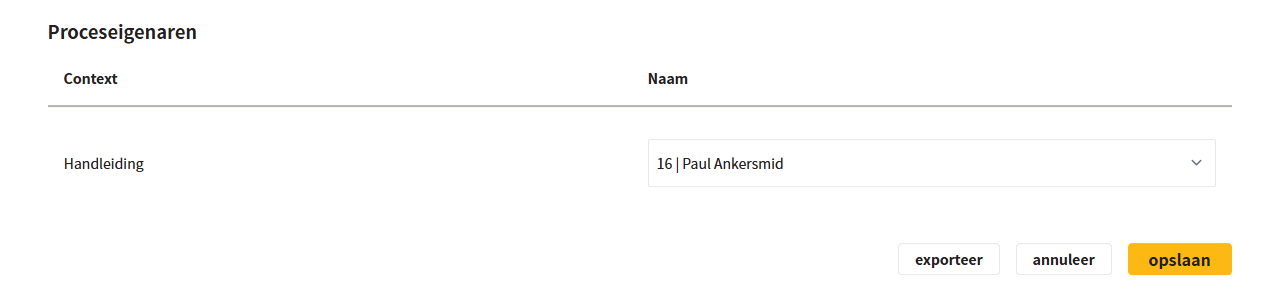
After creating and saving a process, a user can be made responsible for the process: the process owner. Put the process in edit mode to change the owner.
{% hint style="info" %}
Note: linking a process owner is only possible when controls are linked to the process.
{% endhint %}
## Link actions
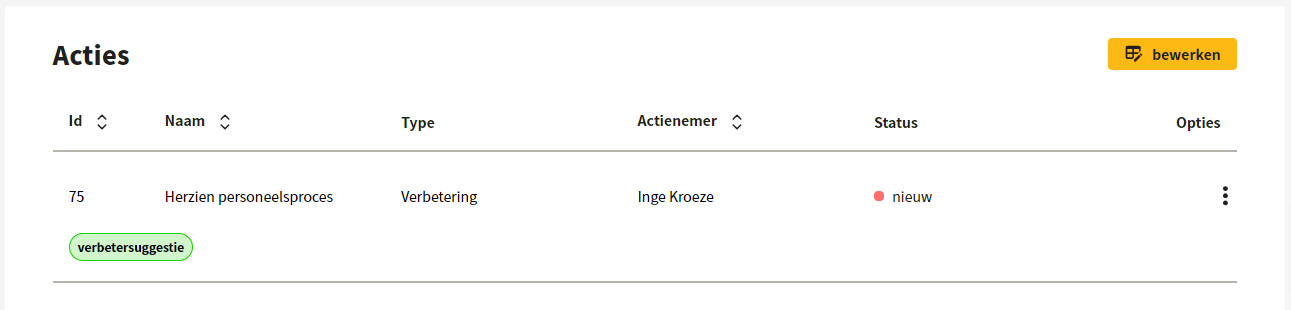
Actions can be linked to a process by clicking edit in the 'Actions' section. Then click 'Add an existing action', search for the action and click 'link'. A new action can also be created and linked directly: click edit and then 'add'. A detailed explanation is in [Actions](/en/acties.md).
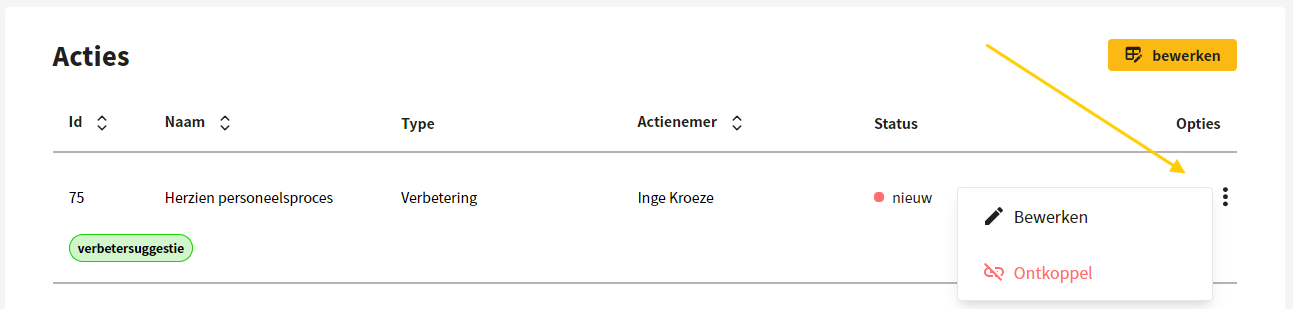
The linked actions can be edited and unlinked from the process by clicking the three dots.
Within the process, the linked actions from the process audit are also displayed under 'Actions'. How actions from the process audit are linked to the process is described in [Process audits](/en/checken/proces-audits.md).
## Edit a process
The text field of the process description includes version control. How it works — working in draft, starting a publication, reviewing and the version table — is described in [Version control and publishing](/en/versiebeheer-en-publiceren.md).
## Export a process
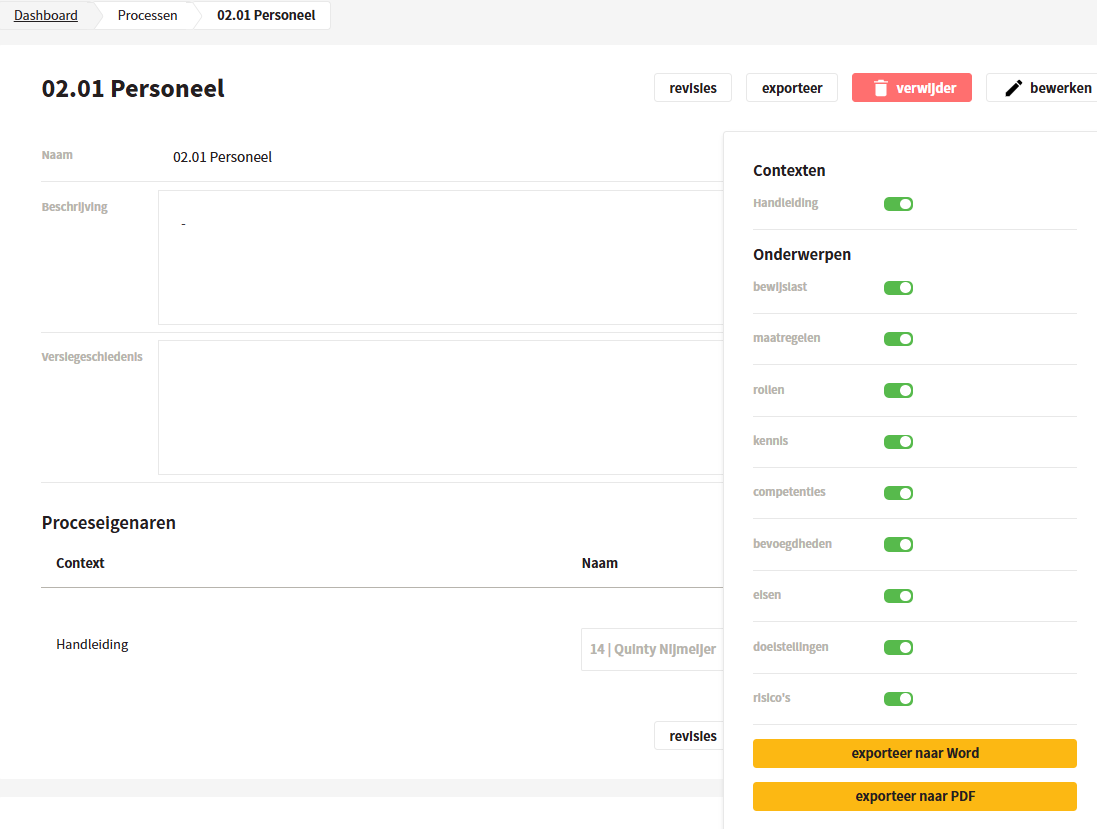
After saving, the process can be exported in docx or pdf format. A selection can be made in contexts and topics. Below is which tables are combined between the process description and the version history as a result of the export switches.
### Contexts
If the process applies to different contexts, they can be switched on here.
### Evidence
A table is added showing the relationship between the evidence and the linked controls. It concerns only the evidence and controls that are linked to this process.
### Controls
This table contains no further relationships, but provides the full description of all controls linked to the process.
### Roles
The table with roles is always selected in combination with the available knowledge, competencies and authorities, insofar as they have been recorded. In addition, the table shows which responsibilities — possibly in accordance with the RACI model — the role fulfills in the creation of the evidence.
### Requirements, objectives and risks
For requirements, objectives and risks, a table is added showing the relationship between these elements and the controls linked to them. It concerns only controls that are linked to this process.
---
# Agent Instructions
This documentation is published with GitBook. GitBook is the documentation platform designed so that both humans and AI agents can read, navigate, and reason over technical content effectively. Learn more at gitbook.com.
## Querying This Documentation
If you need additional information that is not directly available in this page, you can query the documentation dynamically by asking a question.
Perform an HTTP GET request on the current page URL with the `ask` query parameter, and the optional `goal` query parameter:
```
GET https://docs.controlbee.nl/en/uitvoeren/processen.md?ask=&goal=
```
`ask` is the immediate question: it should be specific, self-contained, and written in natural language.
`goal` is optional and describes the broader end goal you are ultimately trying to accomplish on behalf of the user. GitBook uses it to tailor the answer towards what is most useful for that goal.
The response will contain a direct answer to the question and relevant excerpts and sources from the documentation.
Use this mechanism when the answer is not explicitly present in the current page, you need clarification or additional context, or you want to retrieve related documentation sections.