> For the complete documentation index, see [llms.txt](https://docs.controlbee.nl/llms.txt). Markdown versions of documentation pages are available by appending `.md` to page URLs; this page is available as [Markdown](https://docs.controlbee.nl/en/uitvoeren/bewijslast.md).
# Evidence
Demonstrate compliance with the controls
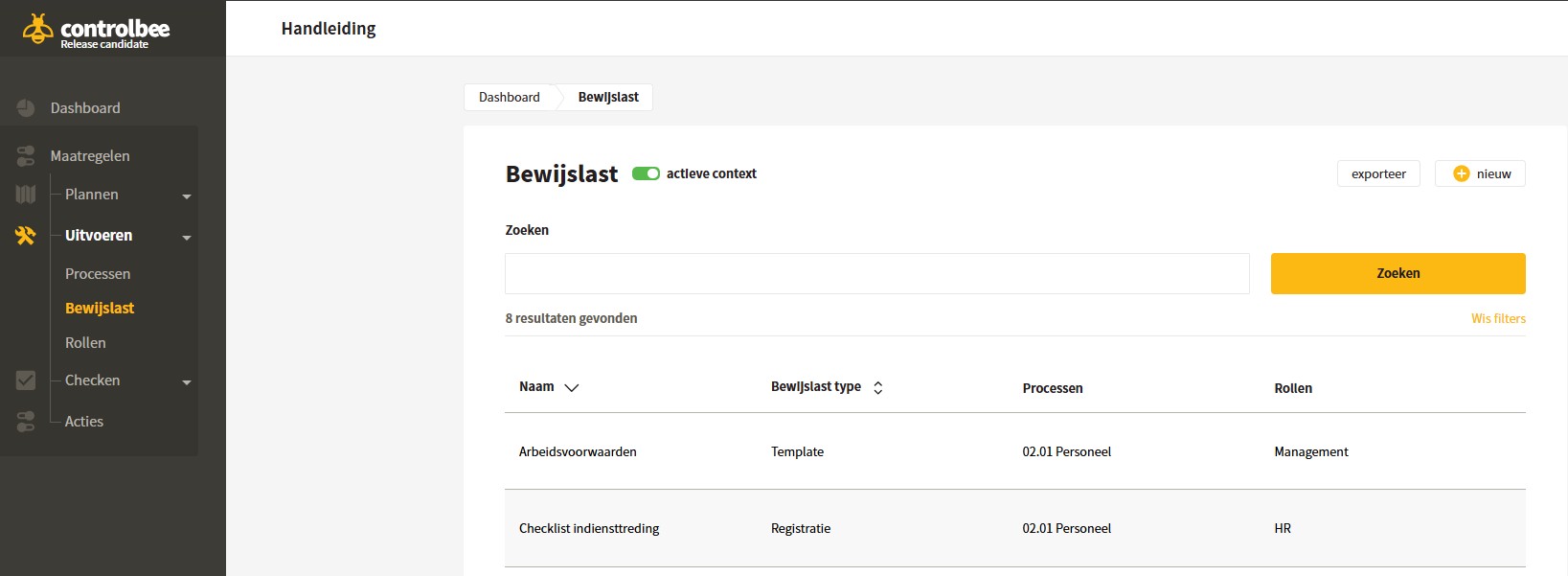
Evidence is prepared to demonstrate that Controls are being met to manage risks, requirements and objectives.
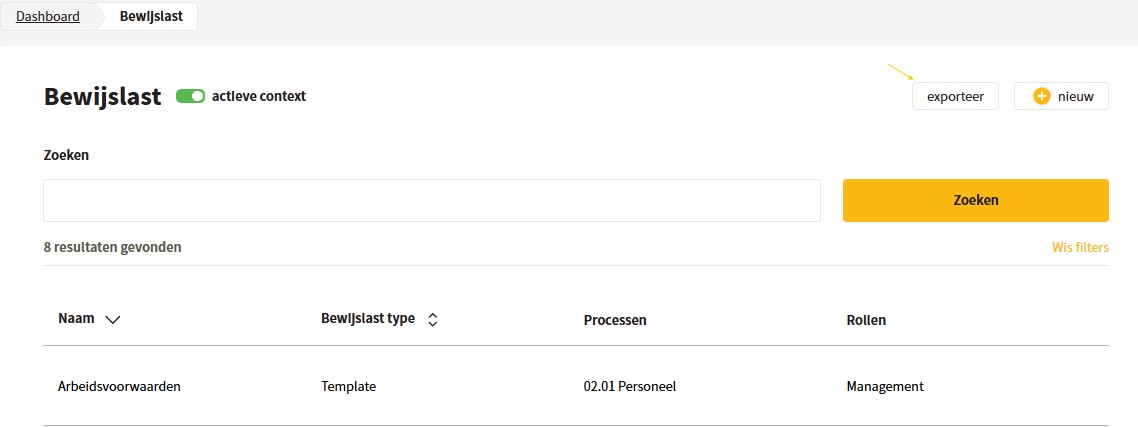
Examples of evidence include: access policy, risk register or annual programme. Using the search bar in the overview, you can search for evidence with a search term.
## Create evidence
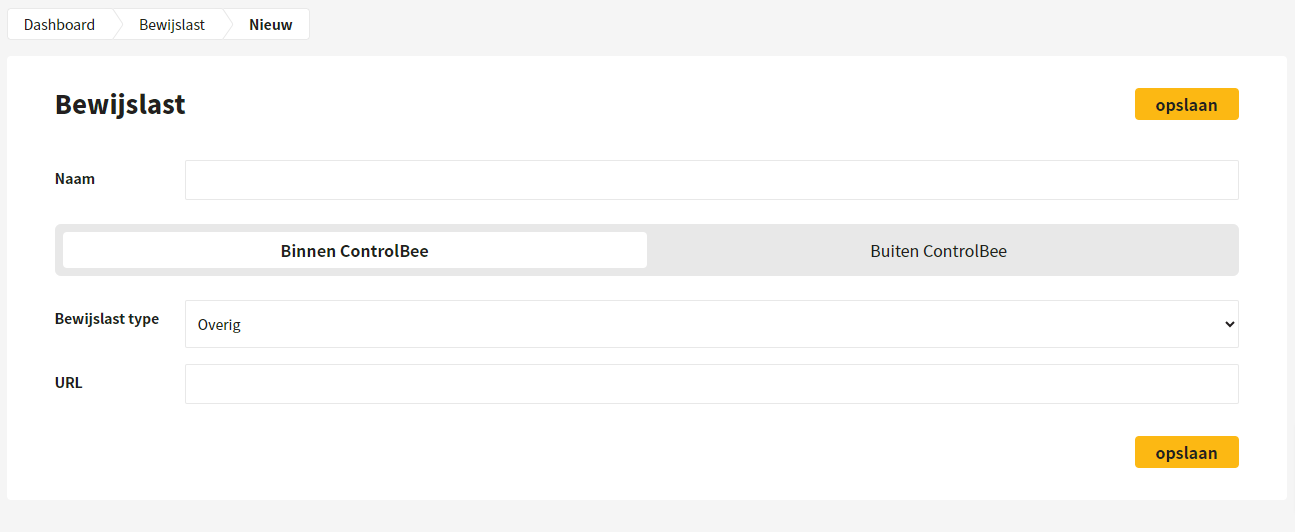
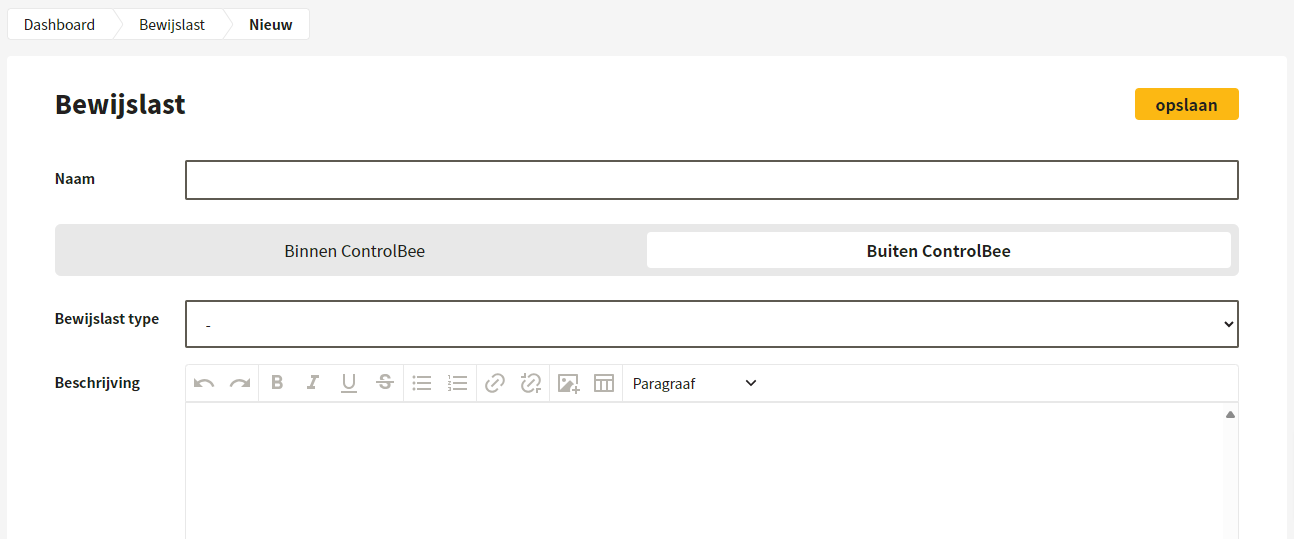
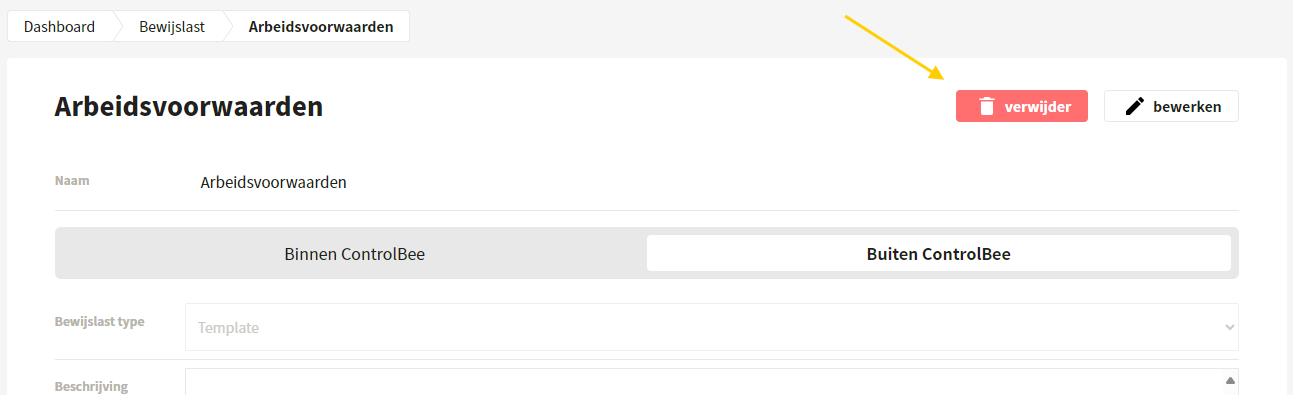
When creating a new evidence item, the user gives the evidence item a name. Then a choice must be made whether it is evidence within or outside ControlBee.
For an evidence item **within ControlBee** you can choose whether it concerns a context, policy, process or other evidence item. For the context, policy and process types, you can then choose which context, which policy or which process it concerns; the URL is then generated automatically. For other evidence items within ControlBee, a URL can be entered manually.
For an evidence item **outside ControlBee** an evidence type can be selected and a description and version history can be maintained. In addition, a URL can be added so that the user can access the evidence with one click from within their own user environment.
{% hint style="warning" %}
Note: evidence types can be changed by environment administrators in the business settings.
{% endhint %}
## Edit, delete and link evidence
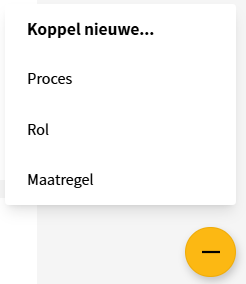
Once an evidence item has been created, the entered information can be edited or the evidence item can be deleted. New linked fields can be added via the yellow plus at the bottom right of the screen.
## Export evidence
The overview of evidence items can be exported in xlsx format.
## Create evidence under a process
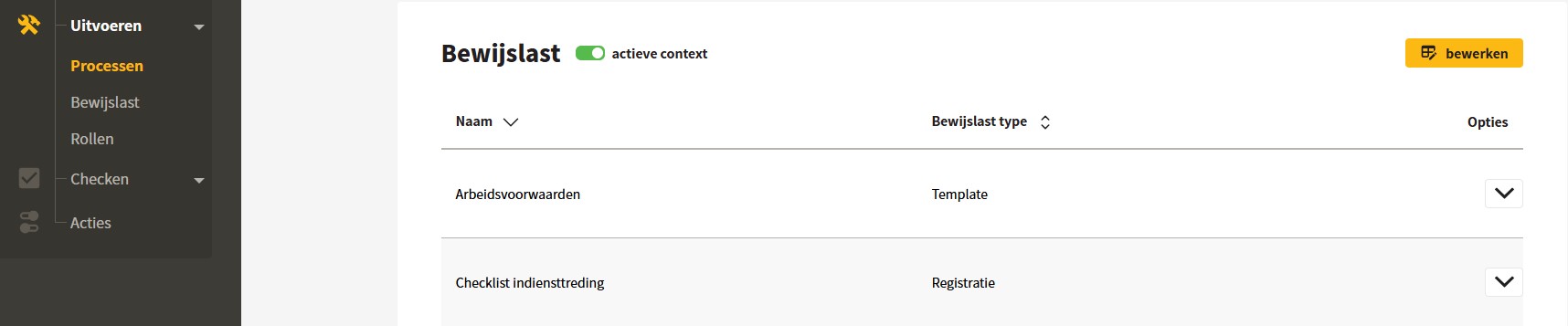
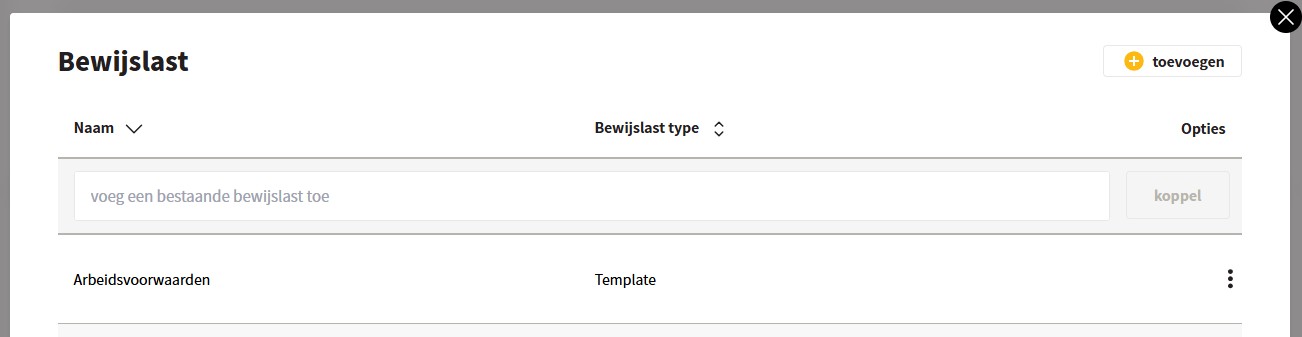
It is also possible to create new evidence items under the process, so you don't have to link them afterwards. To do this, go under a process to the Evidence section and click edit; then click add. By default, the active context is enabled, so all evidence from the active context is visible.
## Unlink evidence under a process
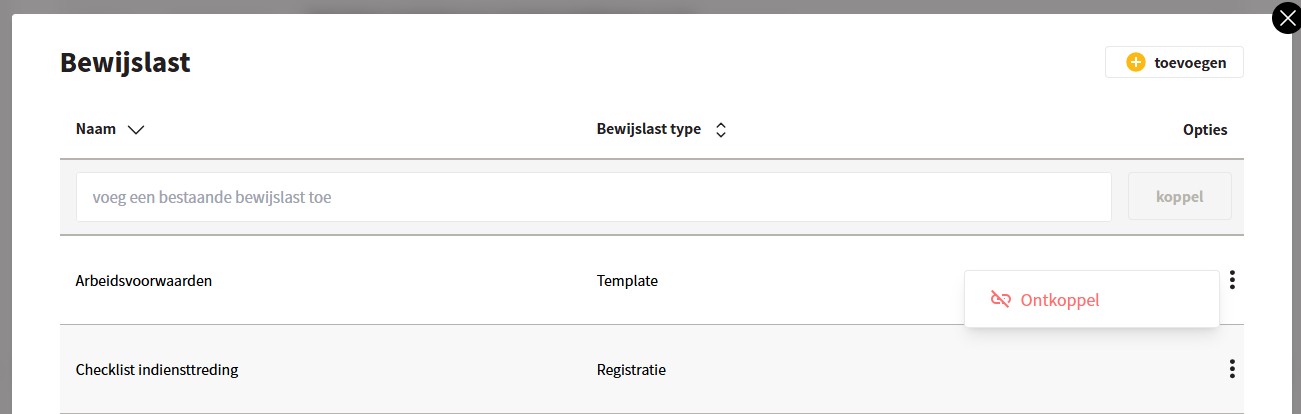
In the 'link evidence' section, the user can unlink the evidence by clicking the three dots.
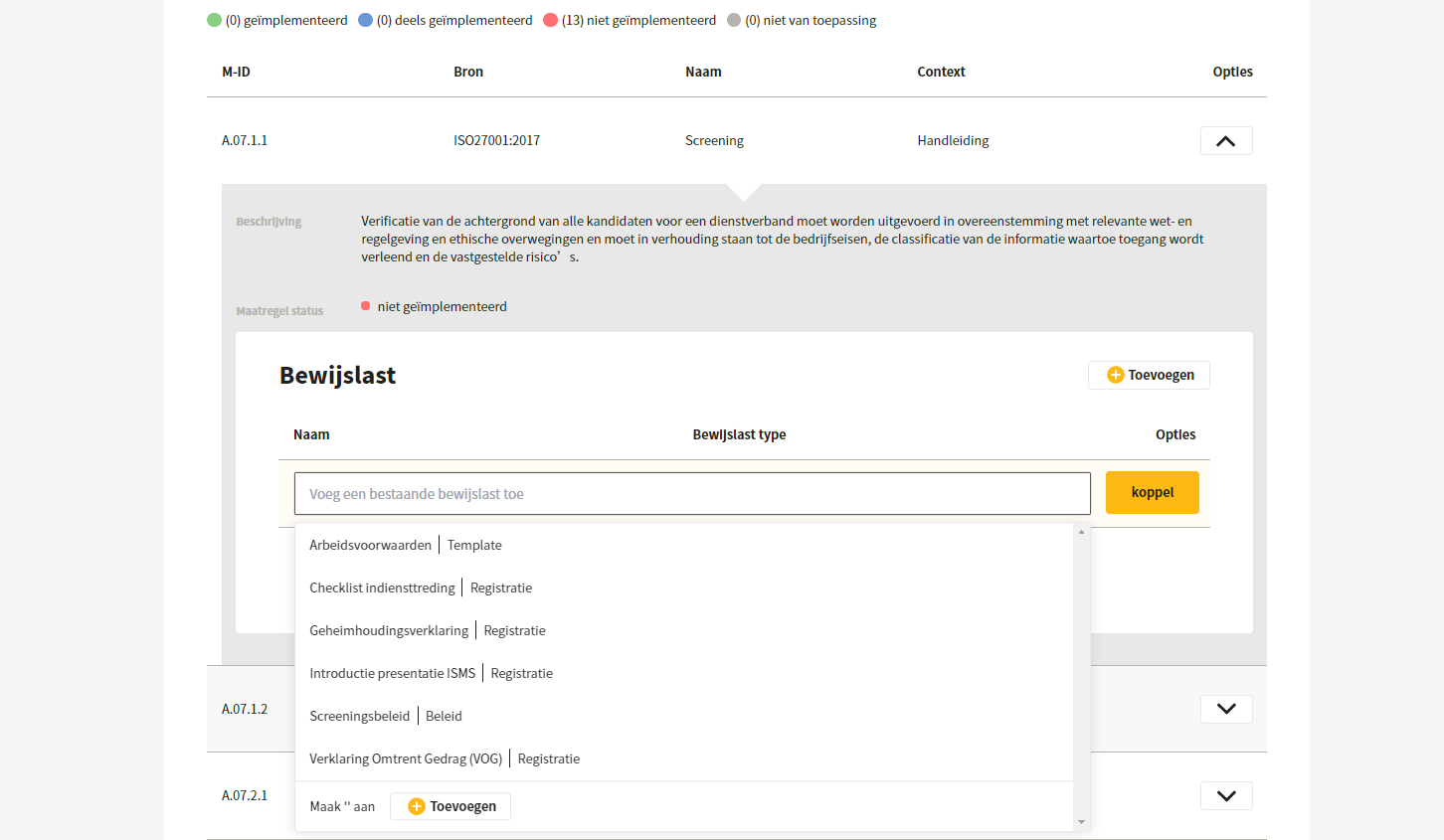
## Link evidence under Controls
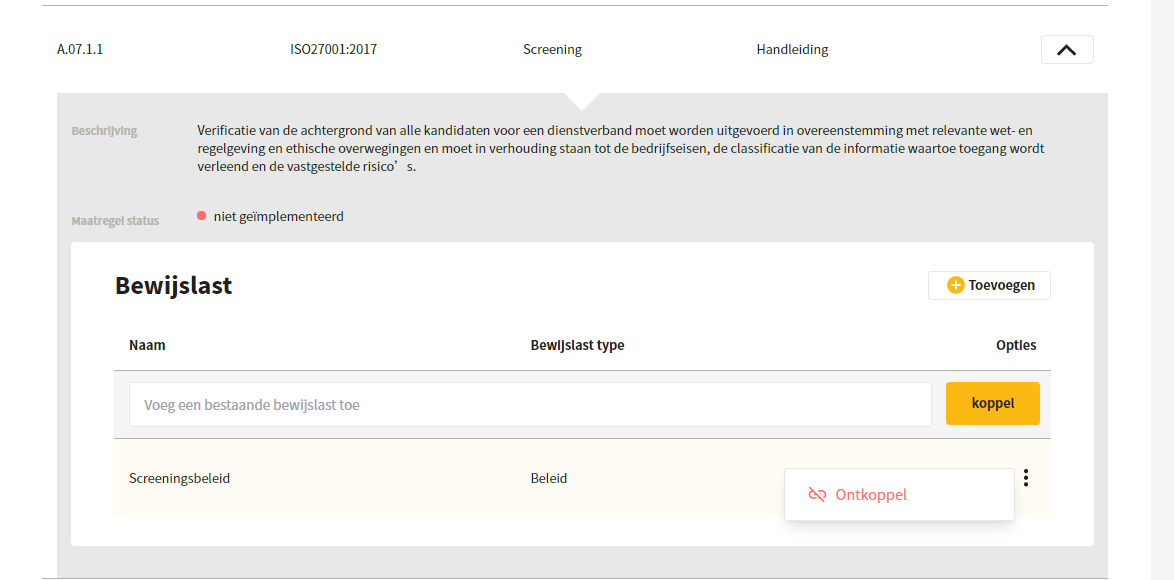
Evidence items can be linked to Controls, and vice versa. An example of a link is: the process 'Personnel', with Control 'A.7.1.1 Screening' and the evidence item 'screening policy'. This means that in the Personnel process a screening policy is created in which the principles for screening are recorded, and that this covers Control 'A.7.1.1 Screening'.
By clicking the three dots under a Control, you can unlink evidence from a Control again.
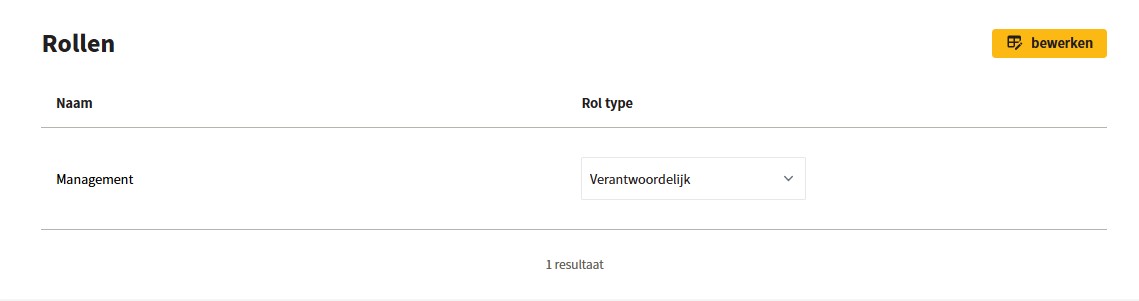
## Link roles and role types under evidence
In addition, roles and role types can be linked to the evidence items by clicking on the evidence item and scrolling to Roles.
---
# Agent Instructions
This documentation is published with GitBook. GitBook is the documentation platform designed so that both humans and AI agents can read, navigate, and reason over technical content effectively. Learn more at gitbook.com.
## Querying This Documentation
If you need additional information that is not directly available in this page, you can query the documentation dynamically by asking a question.
Perform an HTTP GET request on the current page URL with the `ask` query parameter, and the optional `goal` query parameter:
```
GET https://docs.controlbee.nl/en/uitvoeren/bewijslast.md?ask=&goal=
```
`ask` is the immediate question: it should be specific, self-contained, and written in natural language.
`goal` is optional and describes the broader end goal you are ultimately trying to accomplish on behalf of the user. GitBook uses it to tailor the answer towards what is most useful for that goal.
The response will contain a direct answer to the question and relevant excerpts and sources from the documentation.
Use this mechanism when the answer is not explicitly present in the current page, you need clarification or additional context, or you want to retrieve related documentation sections.