> For the complete documentation index, see [llms.txt](https://docs.controlbee.nl/llms.txt). Markdown versions of documentation pages are available by appending `.md` to page URLs; this page is available as [Markdown](https://docs.controlbee.nl/en/partner-portaal/omgevingen.md).
# Environments
Manage, create, and deploy customer environments from a template
## Environment overview
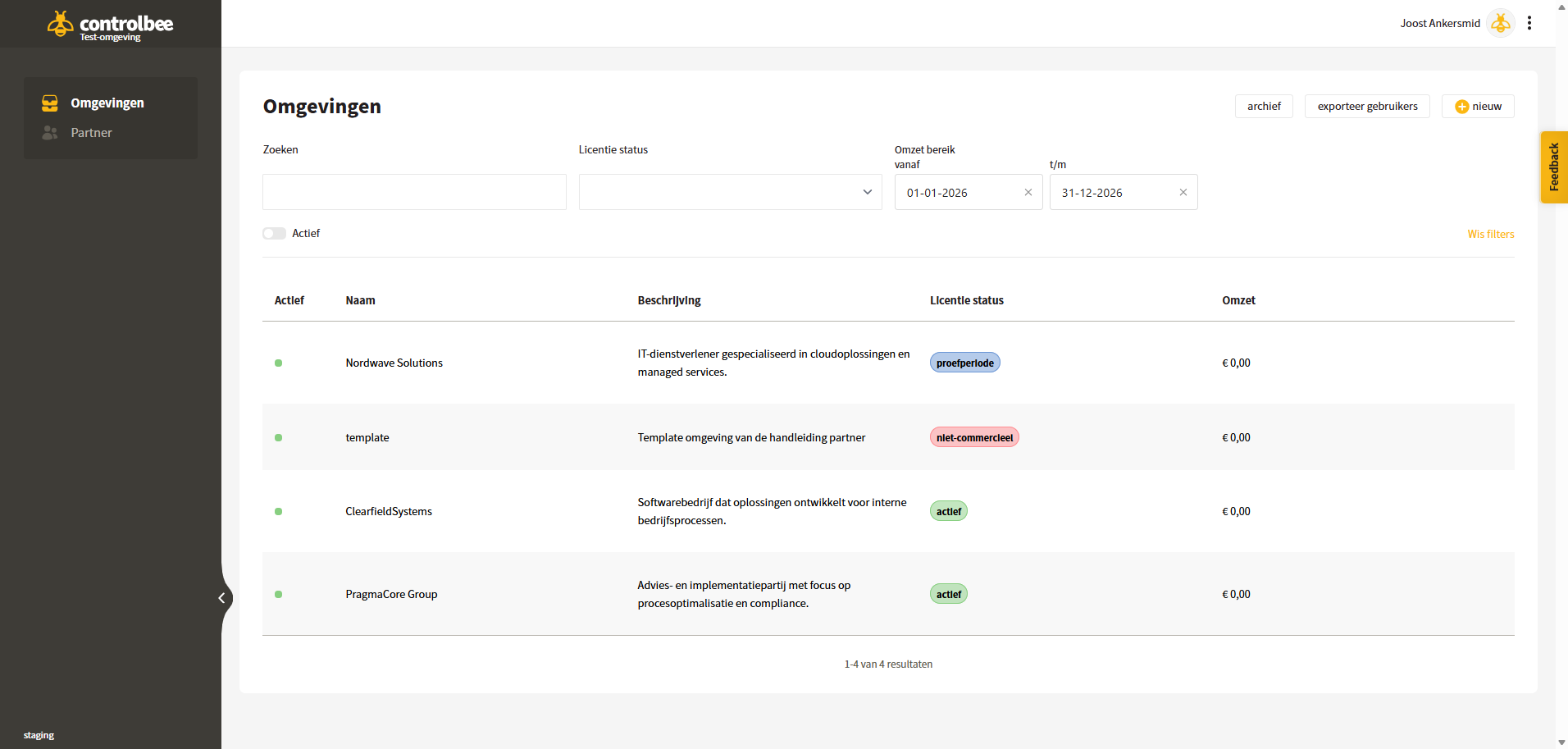
In the overview screen, the partner has insight into the various environments and their status. Searches can be performed, and reports can be generated on revenue over a given period.
## Environment detail screen
The detail screen of an environment provides detailed insight into that environment, its status, and its users.
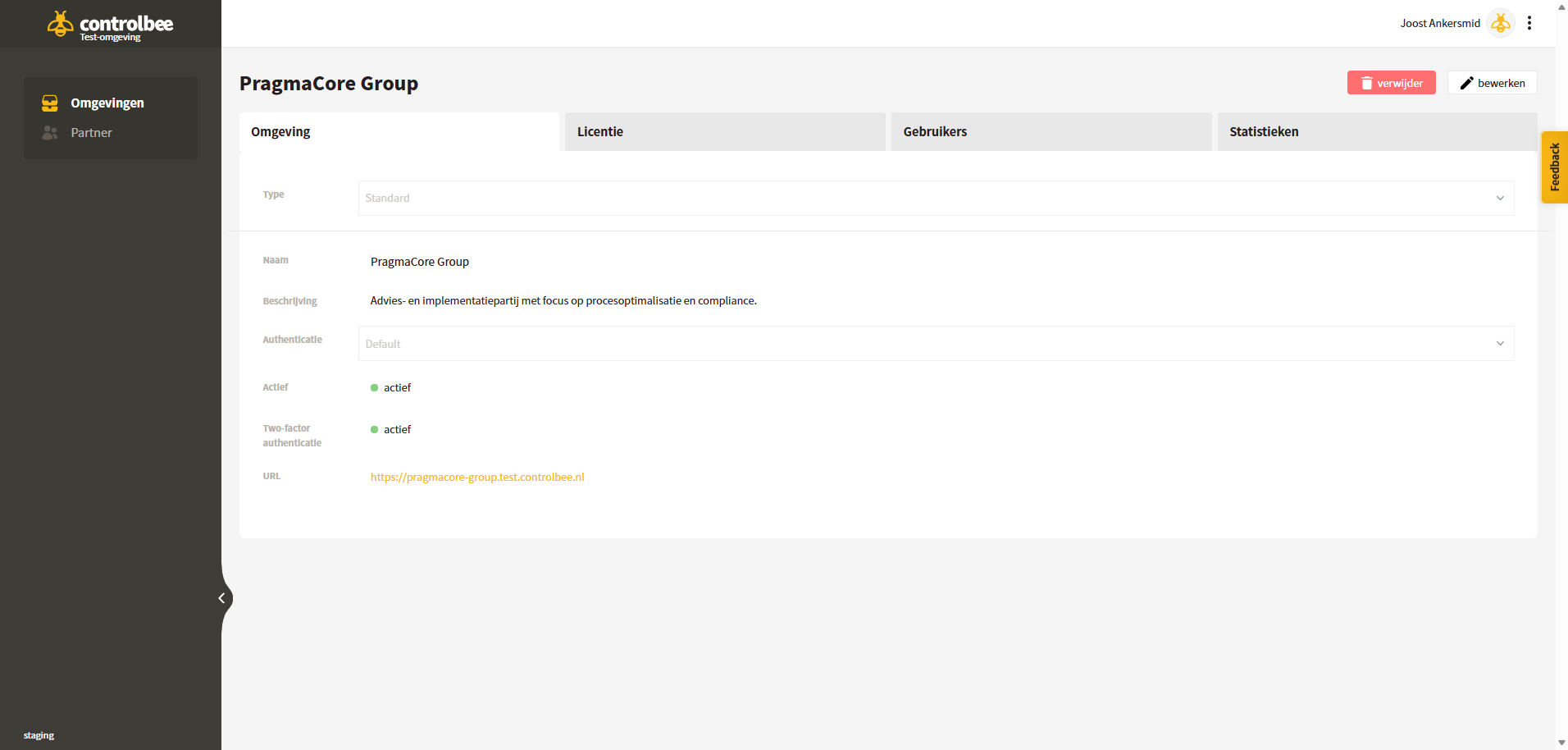
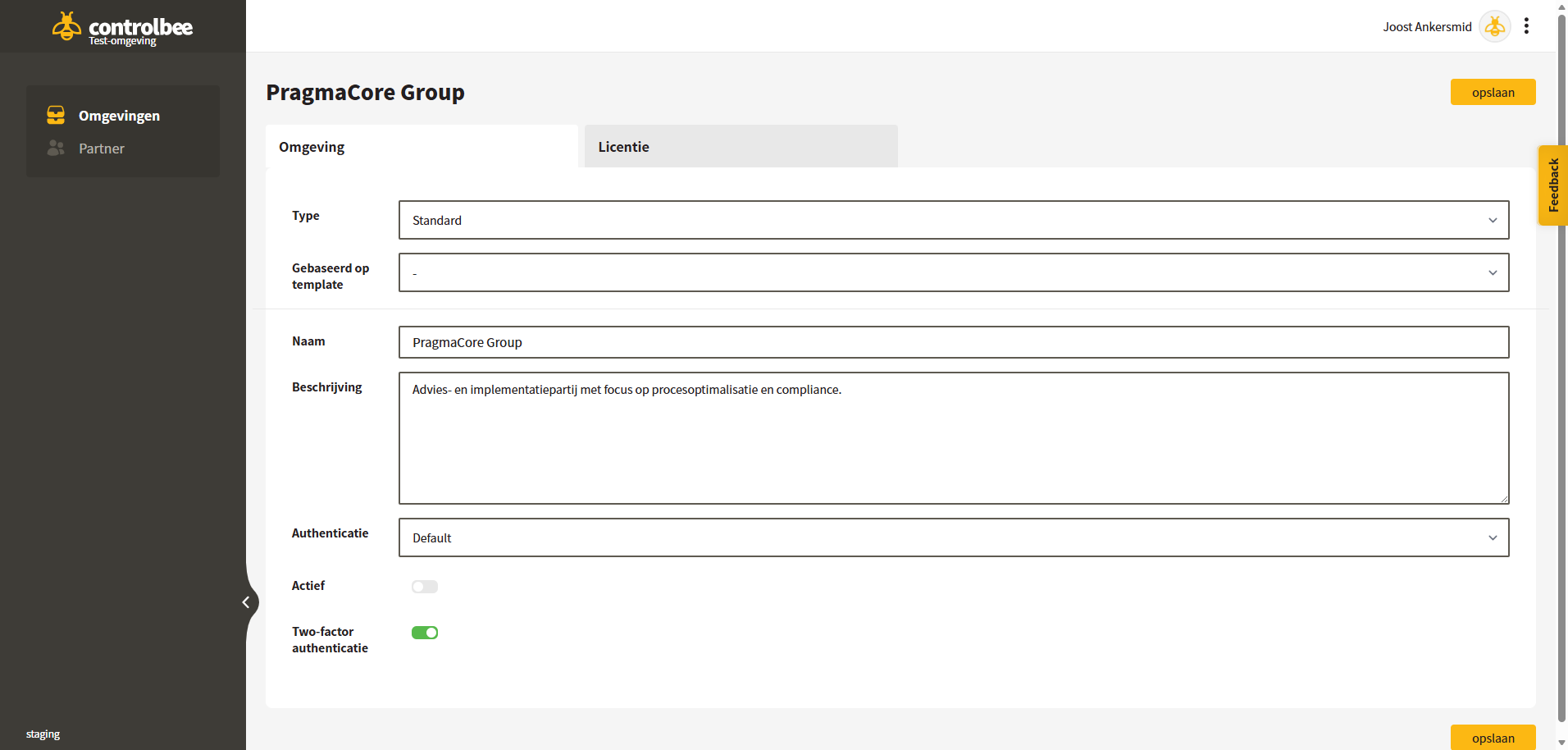
* On the tab **Environment** general information can be viewed and edited.
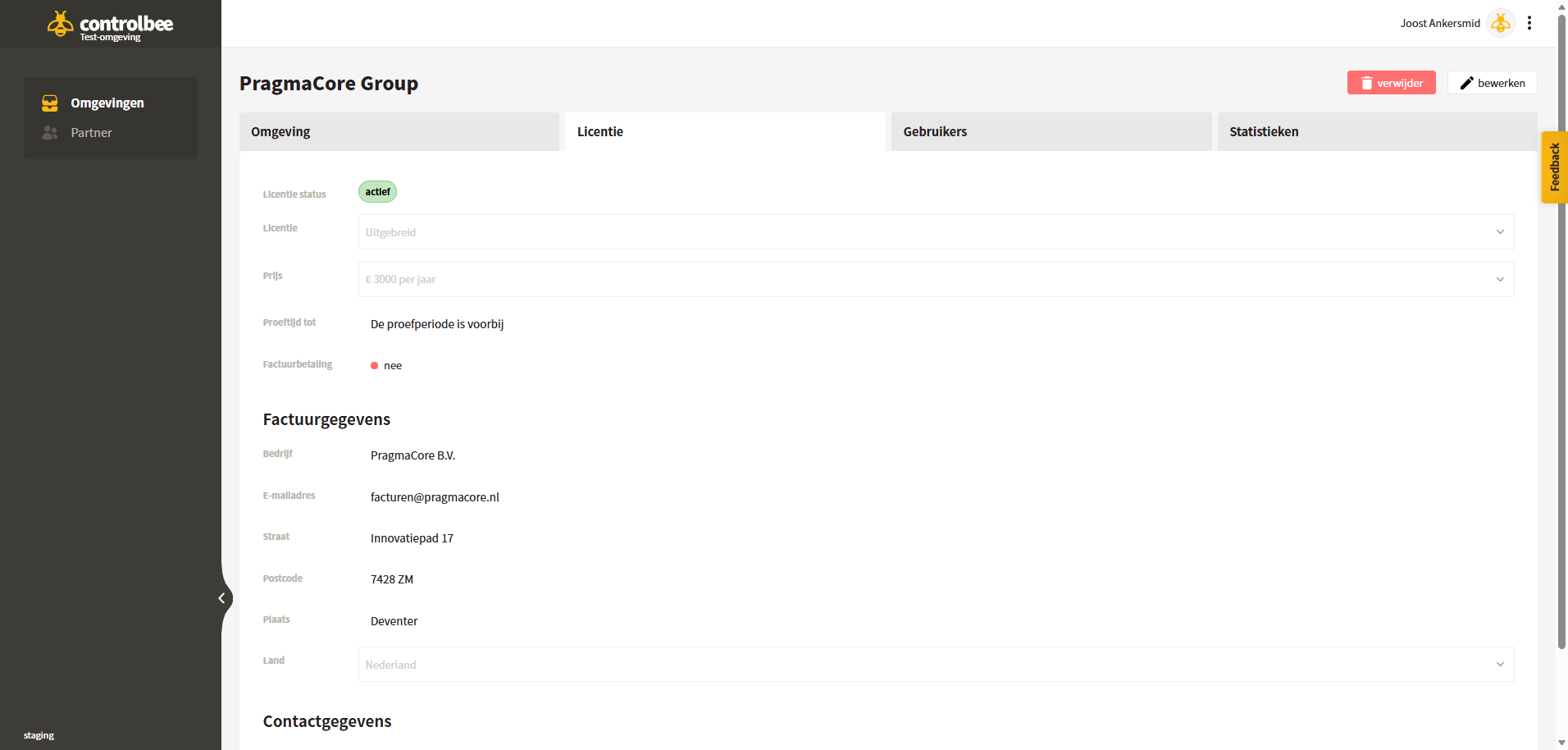
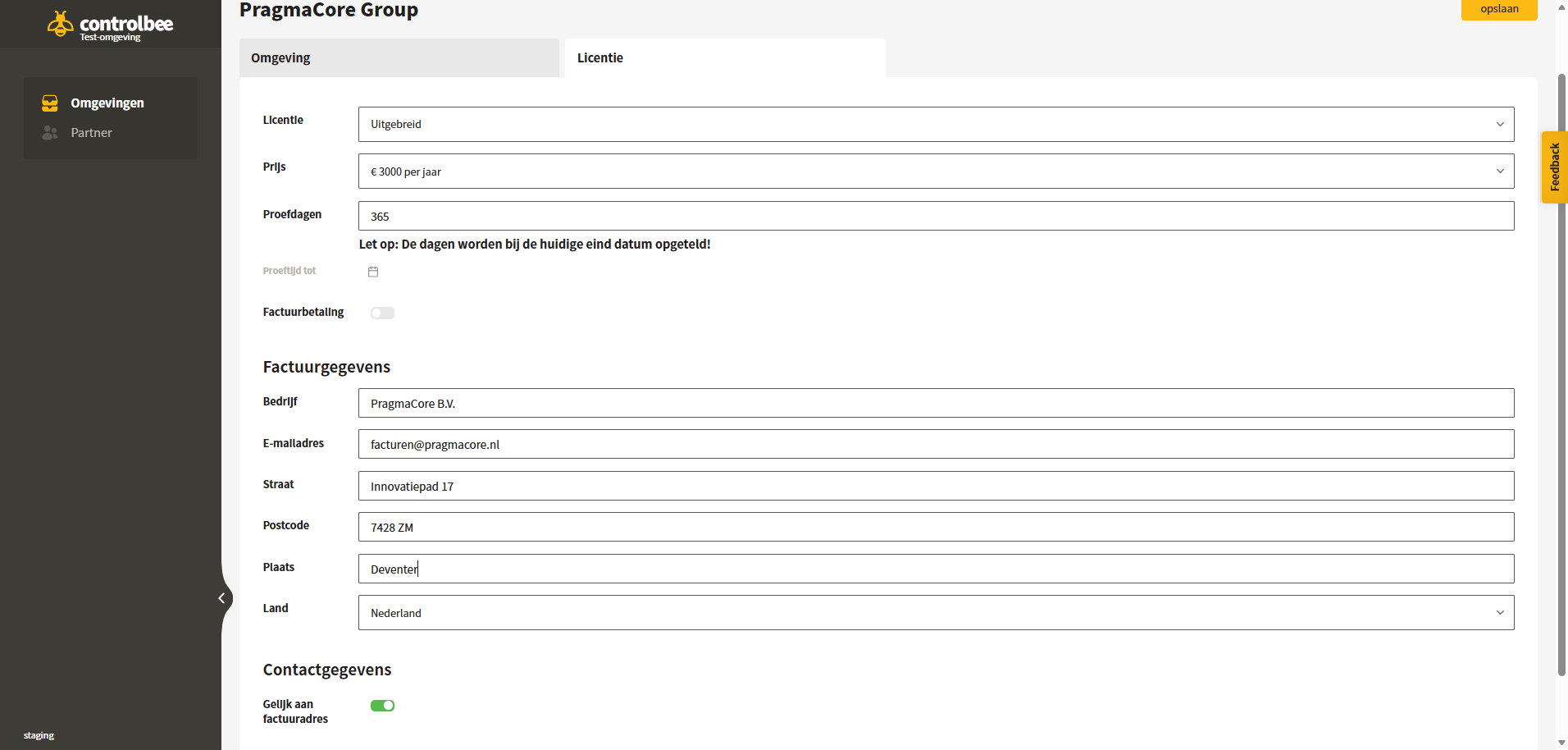
* On the tab **License** license information can be consulted and the partner can manage the billing method and trial period. The customer's invoice details are also managed here; these can also be adjusted from the environment itself.
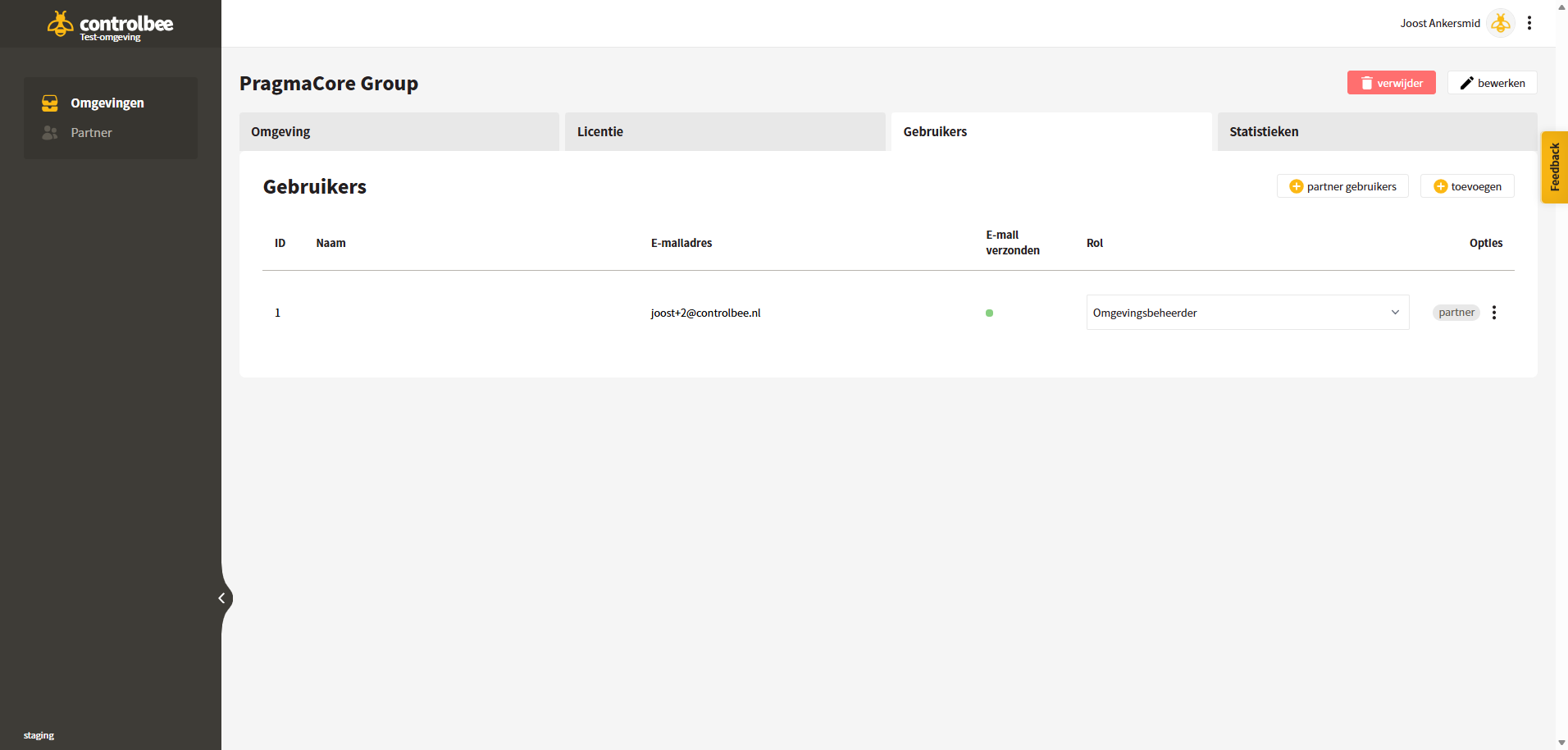
* On the tab **Users** access for both partner users and regular users is managed. Partner users then log in to the customer environment with their general partner password and 2FA.
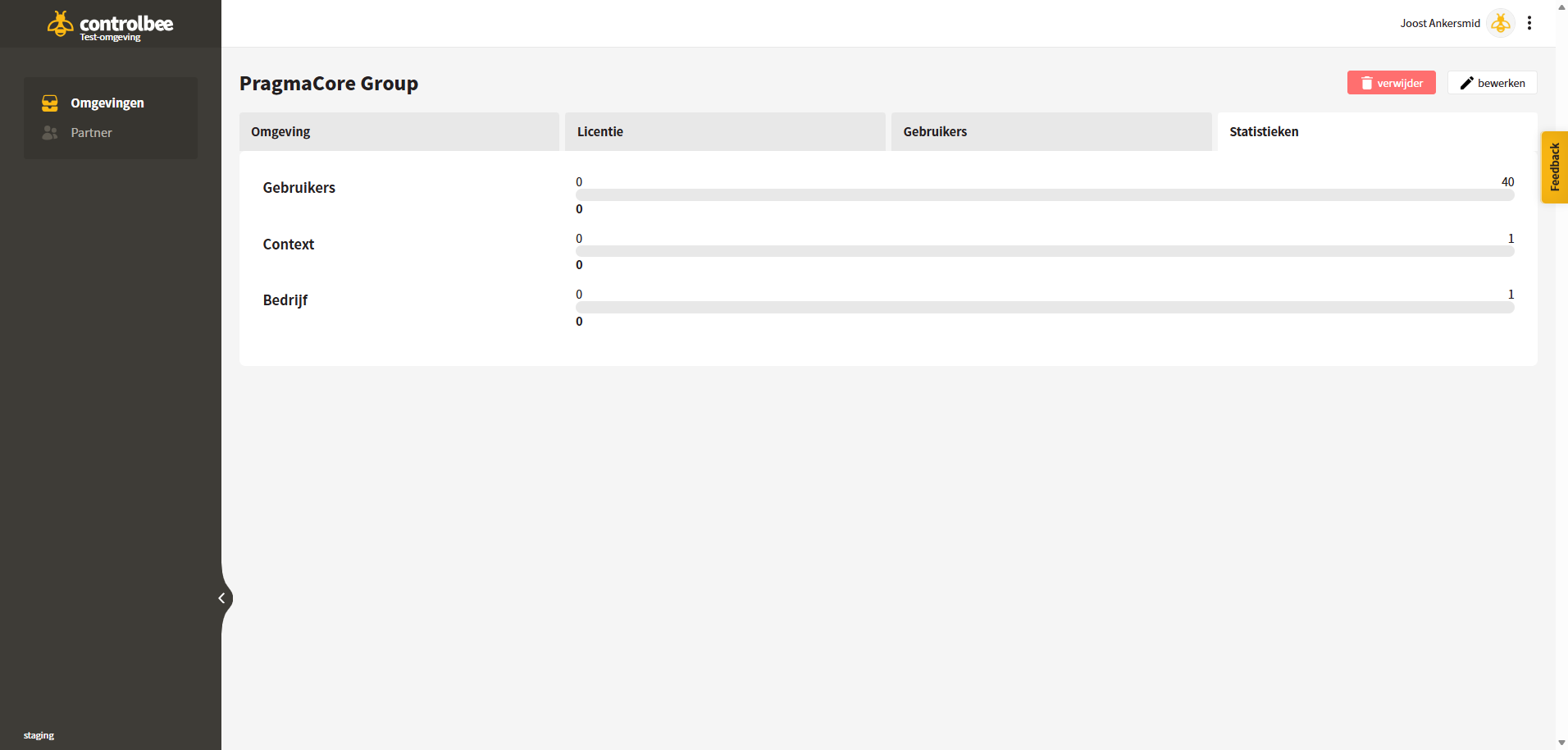
* On the tab **Statistics** the license usage can be viewed, broken down by the number of companies, contexts, and users. Limits can be increased by choosing a higher base package or adding add-ons.
{% hint style="info" %}
Partner managers are added by default to all partner environments; partner users can be added selectively. Partner accounts do not count toward the user usage limit.
{% endhint %}
## Add environment
When adding a new environment, the partner first fills in the general information on the Environment tab:
* **Type** — is it a standard environment or a new partner template? How templates work is explained further below under [Partner templates](#partner-templates).
* **Based on template** — if the partner leaves this field blank, an empty environment will be created. The partner can also choose one of their prefilled partner templates and quickly deploy predefined frameworks to customers. If a template contains multiple companies, it can be selected which companies should and should not be created in the customer environment. Useful for managing different companies for different languages or frameworks in one template environment.
* **Name** — the name of the environment. This is also used to determine the environment URL; spaces are converted to hyphens.
* **Description** — purely informational for the partner, with no function in the application.
* **Authentication** — standard login, or SSO via Azure or Google.
* **Active** — is the environment enabled or disabled?
* **2FA** — is two-factor authentication enabled or disabled when logging in?
On the License tab, the base package is selected, which can later still be adjusted. In addition, the partner can start a trial period of up to 365 days and enter the invoice details. If those are not yet available, they can be completed later.
{% hint style="info" %}
SEPA or credit card payment is preferred; those options are offered by default in the customer's payment portal. In the case of an order-driven organization, the 'Invoice payment' checkbox can also be selected. The customer will then receive a monthly or annual invoice for bank transfer with a 30-day payment term. Note: the environment is automatically blocked once that payment term has expired.
{% endhint %}
After saving, the environment is available at the URL shown on the Environment tab.
## Partner templates
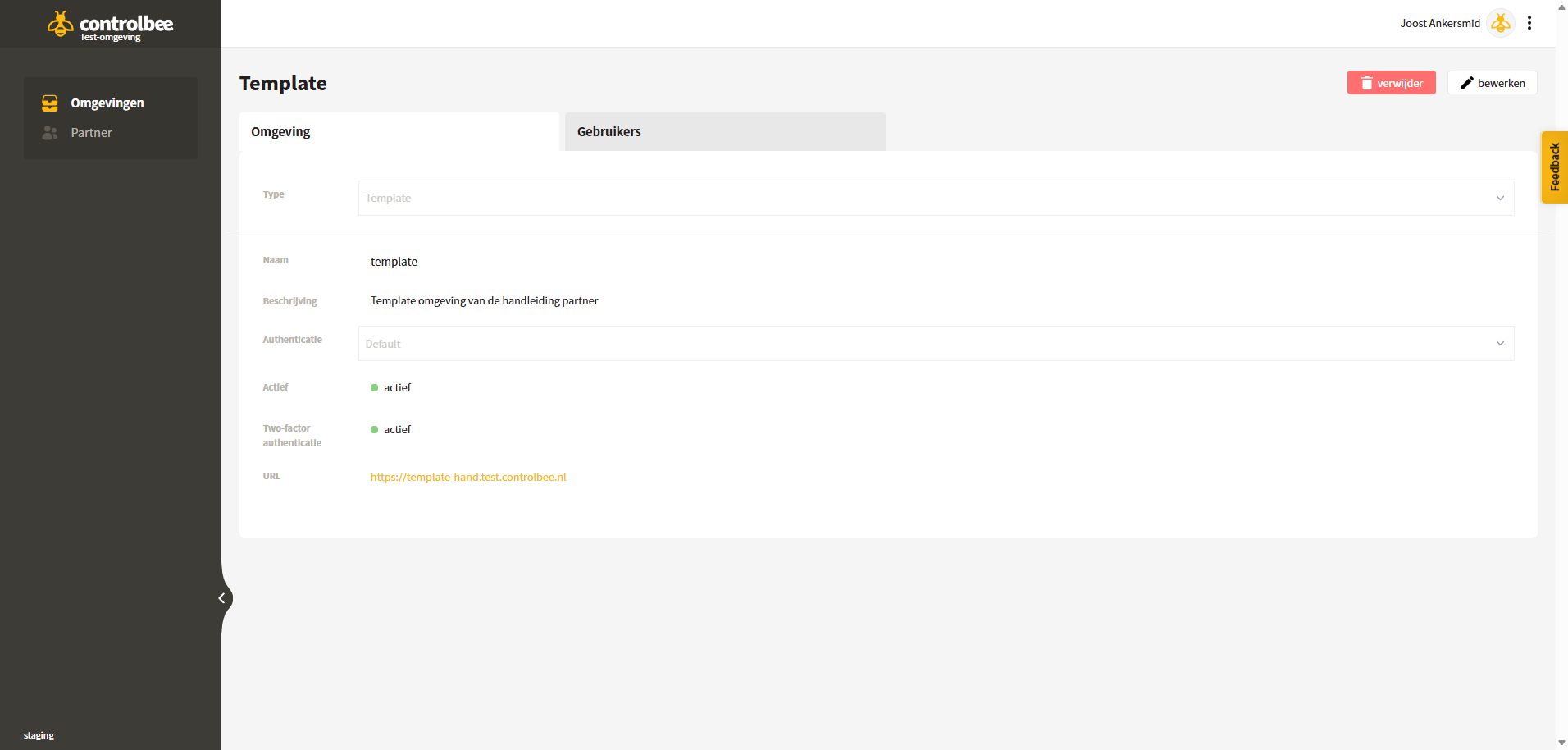
Partners can create ControlBee environments of the 'Template' type. These environments have the following characteristics:
* The URL includes a hyphen followed by the first four letters of the partner name.
* Only partner users can be added in template environments.
* The template environment may not be used for commercial purposes and therefore may not be used by the partner's customers.
* There are no costs associated with the partner template.
* Partner templates and the companies within them can be selected when creating a new environment. The content of the template is then immediately copied to the new customer environment.
The template otherwise behaves completely like a normal environment and can be used by the partner to prefill all conceivable content.
---
# Agent Instructions
This documentation is published with GitBook. GitBook is the documentation platform designed so that both humans and AI agents can read, navigate, and reason over technical content effectively. Learn more at gitbook.com.
## Querying This Documentation
If you need additional information that is not directly available in this page, you can query the documentation dynamically by asking a question.
Perform an HTTP GET request on the current page URL with the `ask` query parameter, and the optional `goal` query parameter:
```
GET https://docs.controlbee.nl/en/partner-portaal/omgevingen.md?ask=&goal=
```
`ask` is the immediate question: it should be specific, self-contained, and written in natural language.
`goal` is optional and describes the broader end goal you are ultimately trying to accomplish on behalf of the user. GitBook uses it to tailor the answer towards what is most useful for that goal.
The response will contain a direct answer to the question and relevant excerpts and sources from the documentation.
Use this mechanism when the answer is not explicitly present in the current page, you need clarification or additional context, or you want to retrieve related documentation sections.