> For the complete documentation index, see [llms.txt](https://docs.controlbee.nl/llms.txt). Markdown versions of documentation pages are available by appending `.md` to page URLs; this page is available as [Markdown](https://docs.controlbee.nl/en/checken/proces-audits.md).
# Process audits
Periodically assess a process for design, existence, and operation
A process audit must be carried out periodically to assess the process for design, existence and operation. Here it is checked whether the process does or does not meet the standard for a certain criterion.
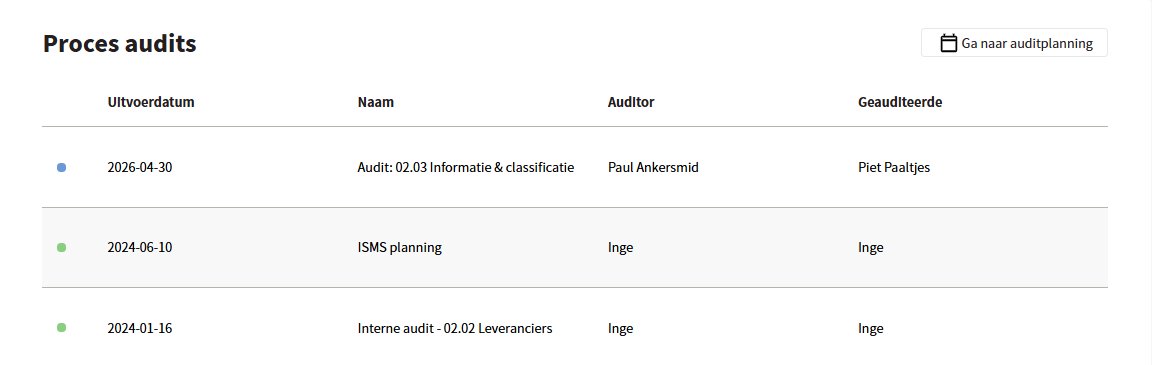
During the process audit, the entire process can be audited. All standard elements and Controls linked to that process are automatically selected. Creating a new process audit is done via the audit planning; see [Audit Planning](/en/checken/auditplanning.md).
## Create process audit
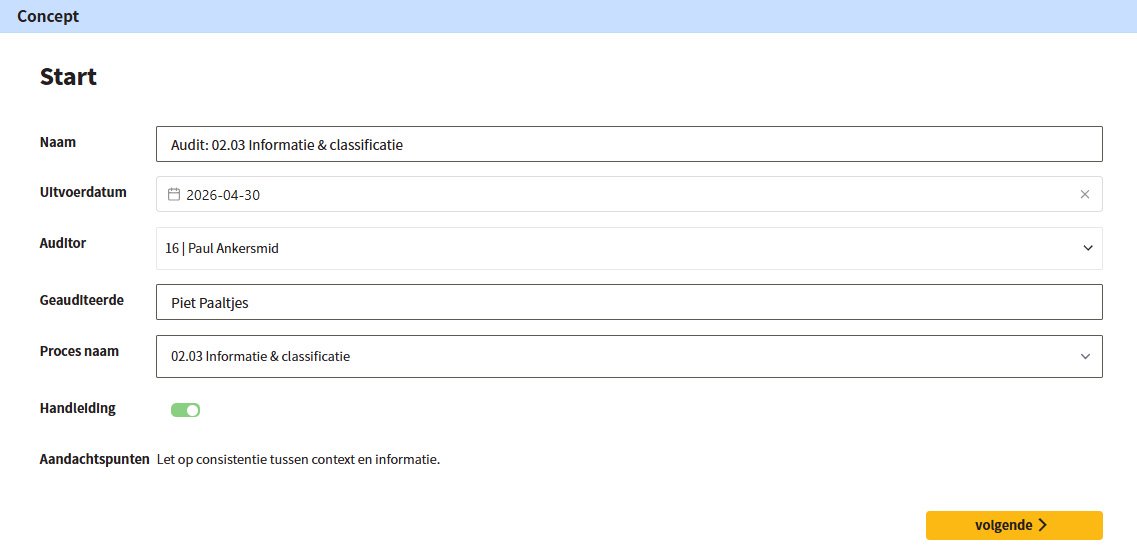
The user gives the audit a name and an execution date, and indicates who performs the audit (auditor), who is audited (auditee), and which process must be audited. After a process name has been chosen, it is optionally also possible to choose which context or contexts must be audited.
## Document review
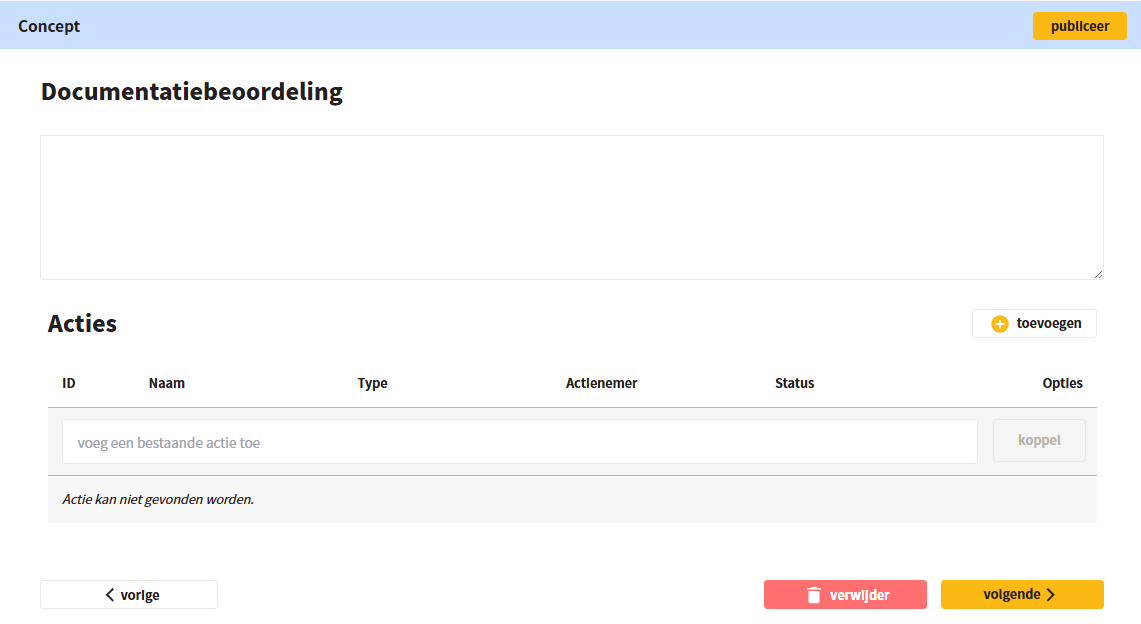
The second step is the document review. Here the process description is assessed for timeliness and completeness. Findings and observations can be recorded in the text box. Once you are finished, click 'next' in the bottom right.
## Create or link actions
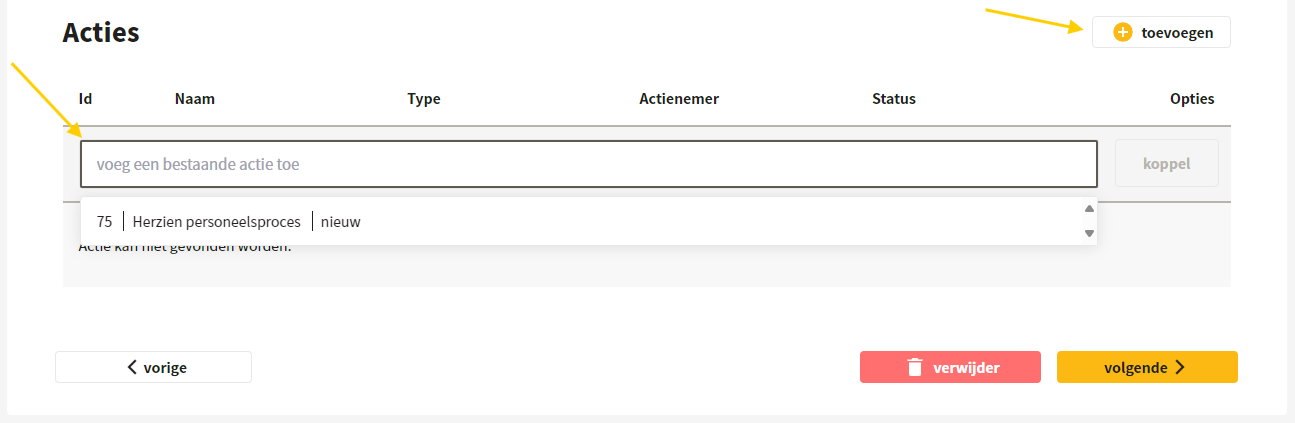
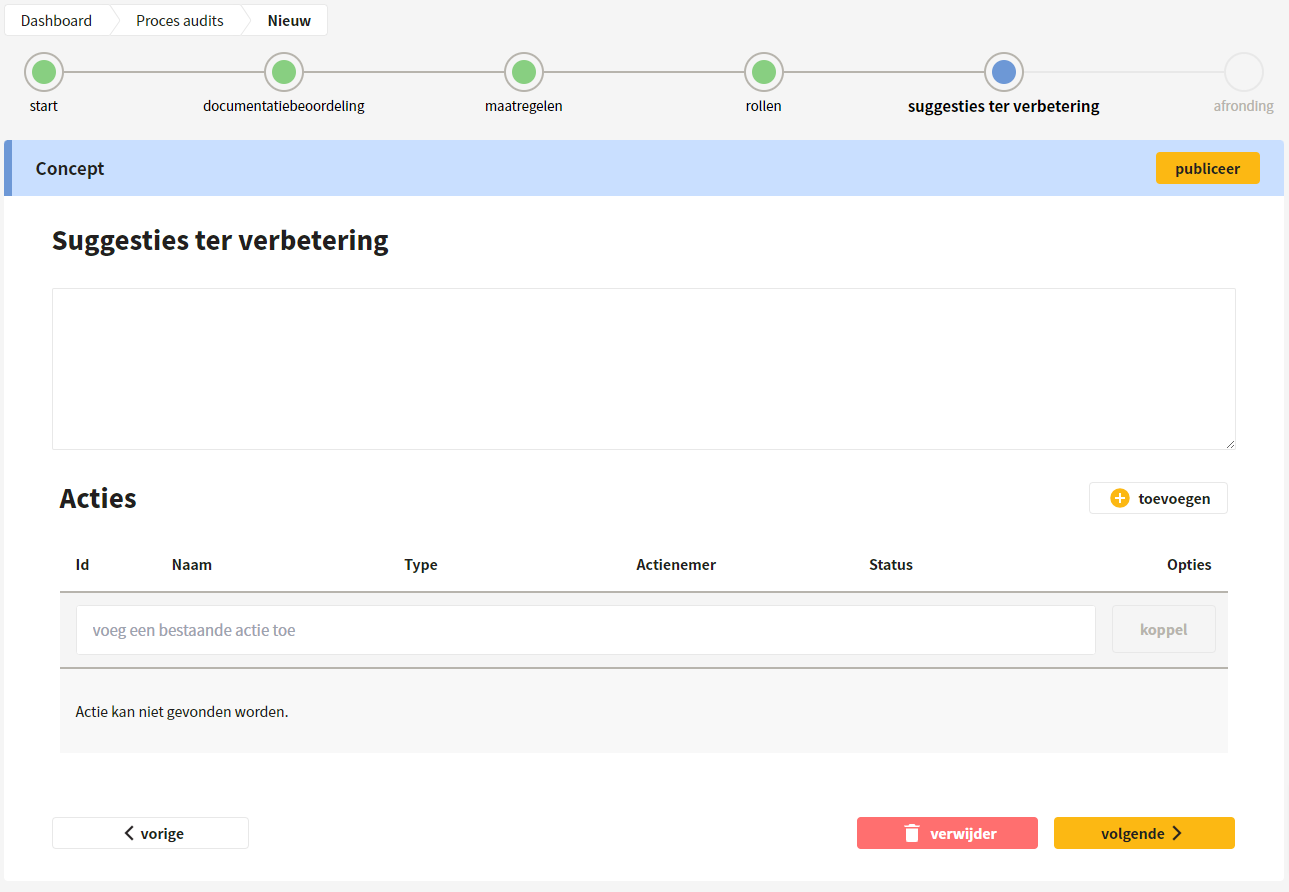
In the document review, Controls, and improvement suggestions sections, you can link existing actions or turn findings into actions. This can be done with 'Add an existing action' or with 'Add'.
The actions linked in the document review and in the improvement suggestions are also immediately linked to the process itself.
## Controls
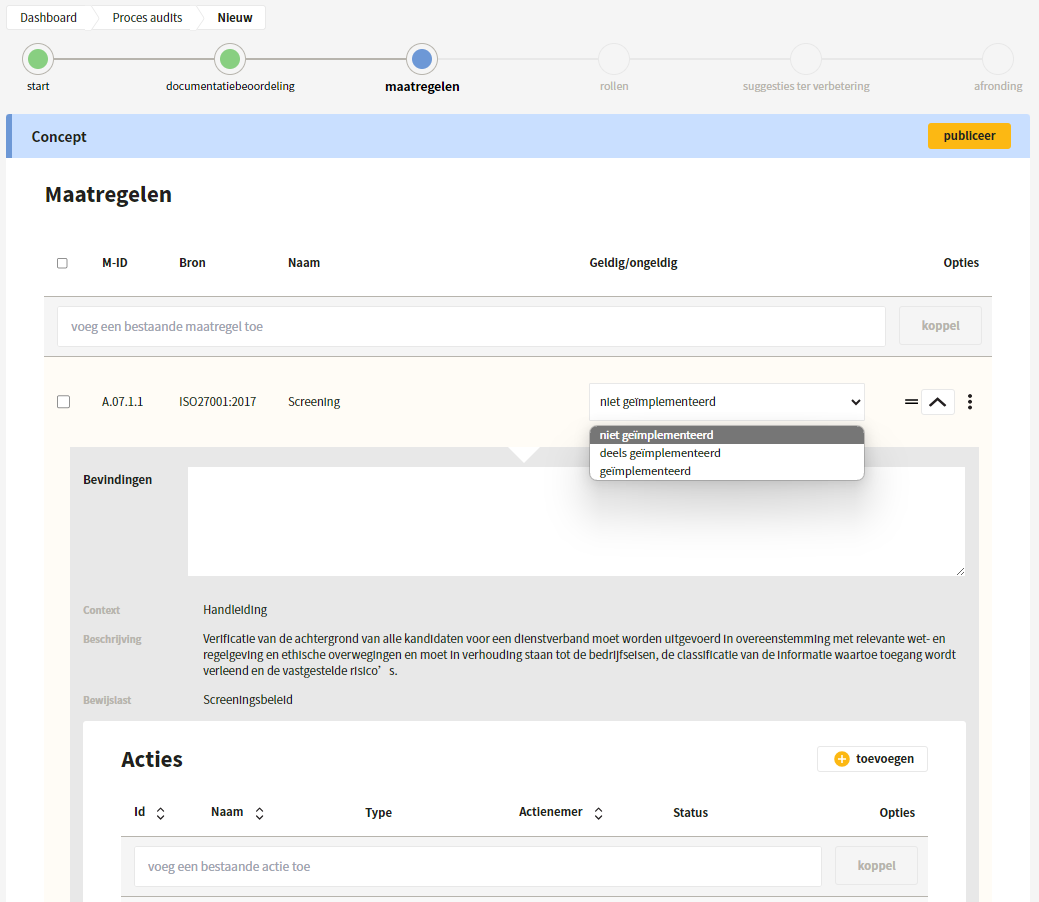
In the third step, the Controls are audited. The system automatically shows which Controls belong to the process; the user can link or unlink a Control themselves, provided it is linked to the process.
Using the two dashes, you can drag Controls, and with the dropdown you can expand each Control. For each Control, findings can be described and it can be indicated whether the Control has not, partially, or fully been implemented. If the process has been audited before, the findings from the most recent audit — both process and control audit — are shown automatically. Controls can also be grouped here, as described in [Control audits](/en/checken/maatregel-audits.md).
## Roles
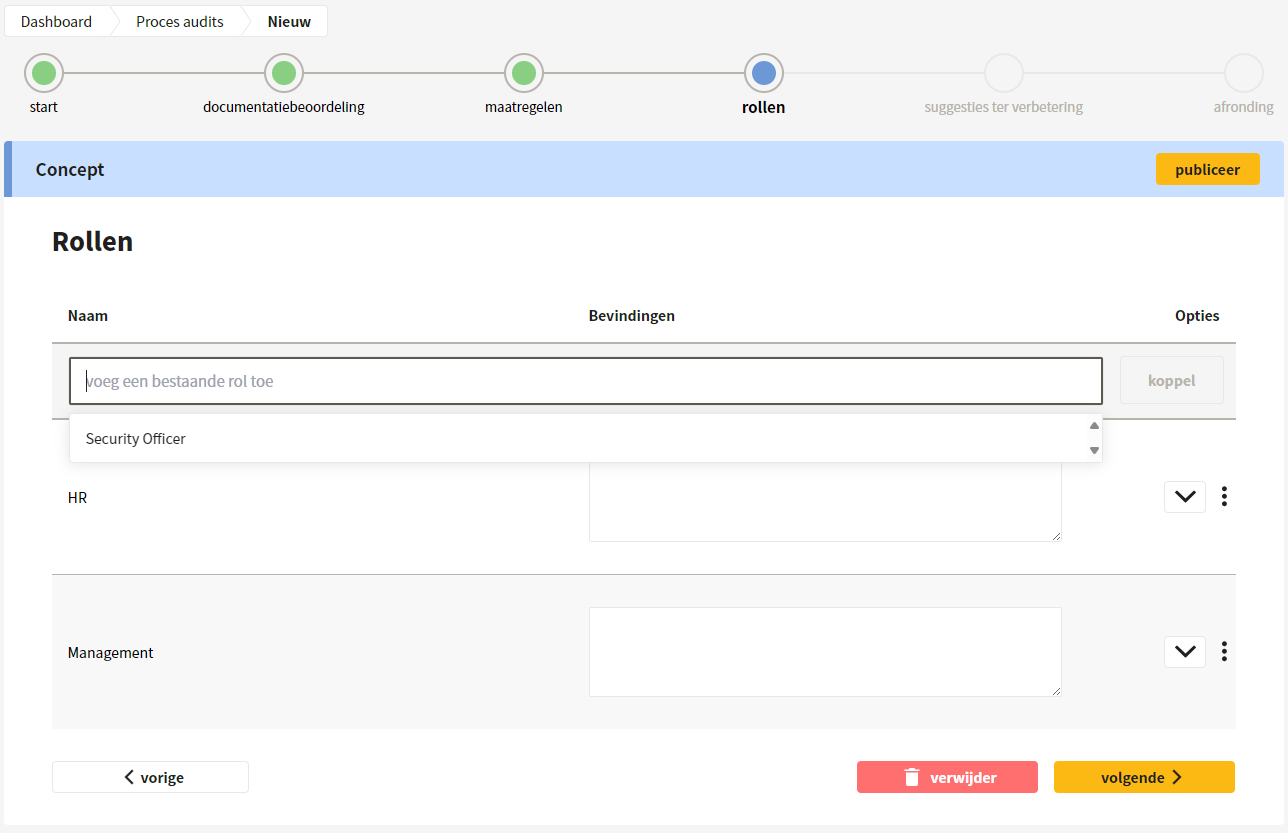
Then the findings for the roles can be described. The system automatically shows which roles belong to the process, if those roles are linked to the evidence under the Controls of the process. The user can link or unlink a role themselves, provided it is linked to the process.
## Improvement suggestions
In step five, you are asked whether there are any further improvement suggestions. These findings can be described here and actions can be linked to them directly. Those actions are also immediately linked to the process and displayed there.
## Completion
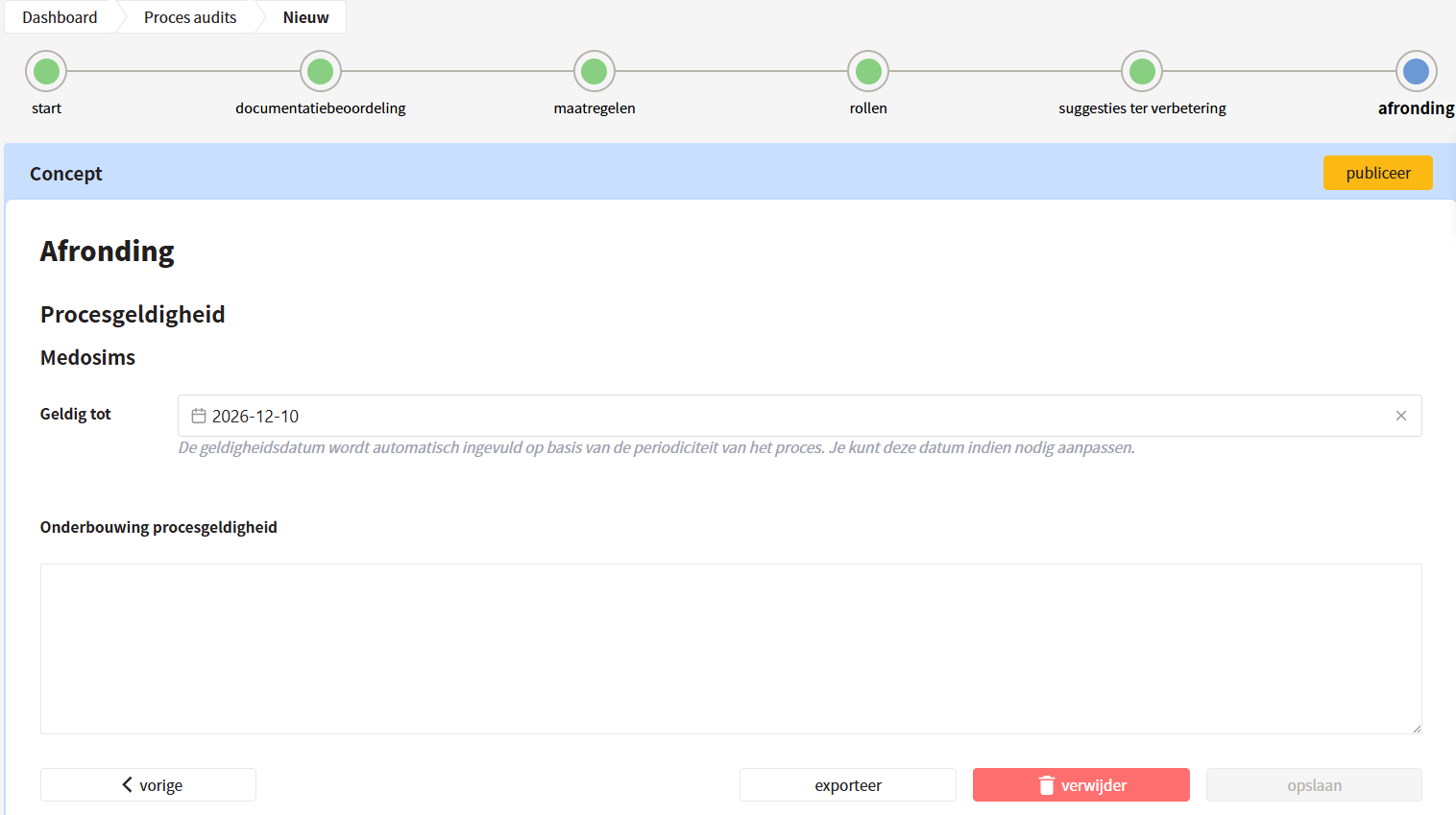
The audit is concluded with the process validity. For each context, it can be indicated until when the process is valid, and why.
{% hint style="info" %}
In the date field, ControlBee automatically suggests a validity date. It is determined on the basis of the periodicity from the [Audit Planning](/en/checken/auditplanning.md), combined with the audit plan date of the audit being carried out now.
{% endhint %}
After saving, the audit is in draft phase and can still be edited. If necessary, an export can be made in docx or pdf format, to send to the auditees and obtain their approval of the findings and the audit report.
When the audit has been fully completed, it can be published. After publication, the Control statuses are updated and the process validity is updated in the dashboard and in the overview of the processes. After publishing, the audit can still be withdrawn.
---
# Agent Instructions
This documentation is published with GitBook. GitBook is the documentation platform designed so that both humans and AI agents can read, navigate, and reason over technical content effectively. Learn more at gitbook.com.
## Querying This Documentation
If you need additional information that is not directly available in this page, you can query the documentation dynamically by asking a question.
Perform an HTTP GET request on the current page URL with the `ask` query parameter, and the optional `goal` query parameter:
```
GET https://docs.controlbee.nl/en/checken/proces-audits.md?ask=&goal=
```
`ask` is the immediate question: it should be specific, self-contained, and written in natural language.
`goal` is optional and describes the broader end goal you are ultimately trying to accomplish on behalf of the user. GitBook uses it to tailor the answer towards what is most useful for that goal.
The response will contain a direct answer to the question and relevant excerpts and sources from the documentation.
Use this mechanism when the answer is not explicitly present in the current page, you need clarification or additional context, or you want to retrieve related documentation sections.