> For the complete documentation index, see [llms.txt](https://docs.controlbee.nl/llms.txt). Markdown versions of documentation pages are available by appending `.md` to page URLs; this page is available as [Markdown](https://docs.controlbee.nl/en/acties.md).
# Actions
Steer with actions, action owners, and target dates
In this step, after the evaluation, adjustments are made if necessary. Actions are taken to still achieve the planned results.
Actions related to the management system, or for other use cases, can be created so that they are recorded and an action owner and target date can be linked to them. This ensures that actions and tasks are taken up in time.
## Search and filter
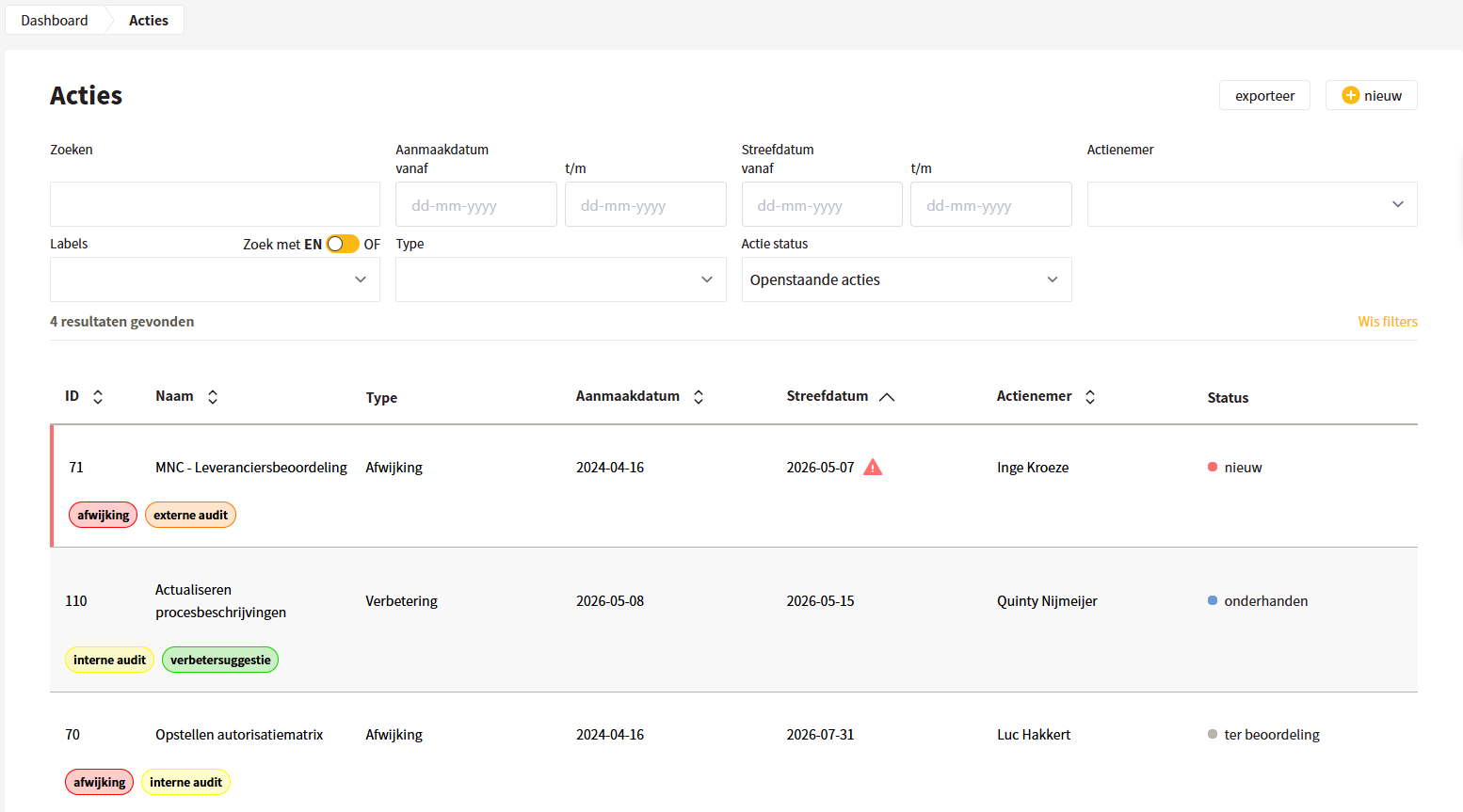
With the search field, actions can easily be found, and the action status lets the user see at a glance how an action is doing. In addition, you can search by action owners, so that in one overview it is visible which actions are linked to a user.
The search field and the filters can be used at the same time. For the creation date and the target date, two dates can be selected; it is then filtered for actions with a date in between. With the AND/OR slider, you determine whether one or multiple filters are searched at the same time.
The overview is filtered by default to open actions. Actions with an expired target date are marked with a red bar on the left and a red icon next to the target date.
## Creating actions
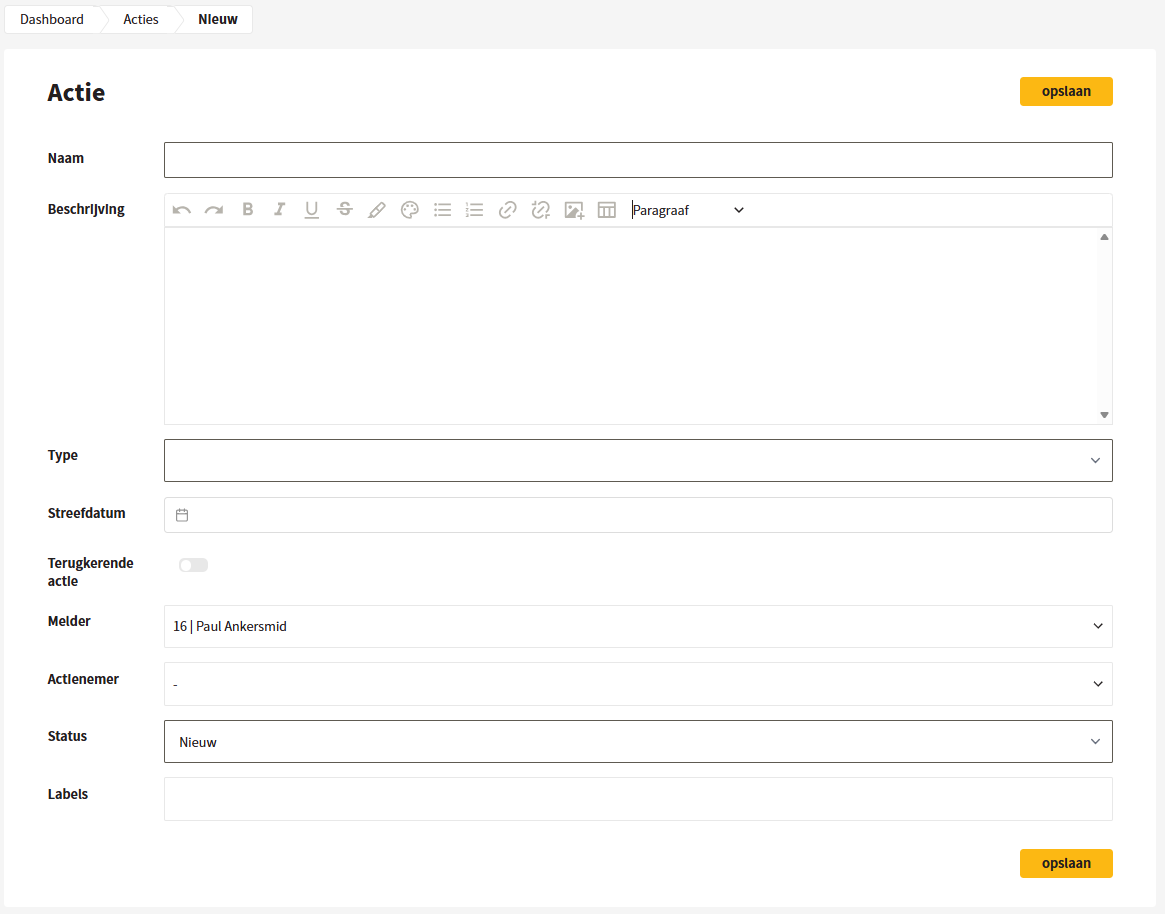
When creating, the action gets a name and a description. Provide a clear description so that someone else also knows what needs to be done. Then an action type can be chosen: deviation, improvement point, change or task. A target date can also be selected and it can be indicated whether it concerns a recurring action. For a recurring action, you choose a periodicity: monthly, quarterly, half-yearly, yearly or every two years.
Then an action owner can be chosen. The action owner and the person who creates the action both receive an email that an action has been created.
{% hint style="warning" %}
Note: only users can be chosen as action owner.
{% endhint %}
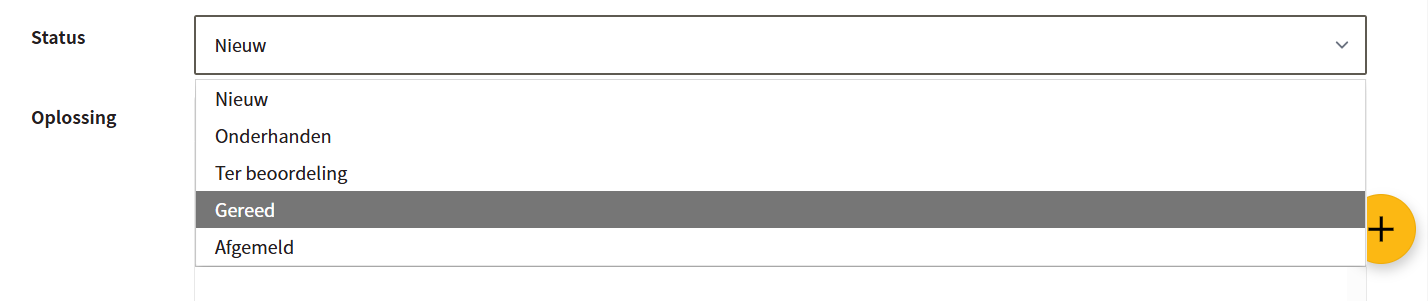
The user can give the action a status: new, in progress, under review, ready or signed off. The status 'signed off' can be used when an action is no longer taken up within the organization. Labels can also be added to indicate the origin of the action.
{% hint style="warning" %}
Note: labels can only be created by administrators in the company settings.
{% endhint %}
## Editing actions
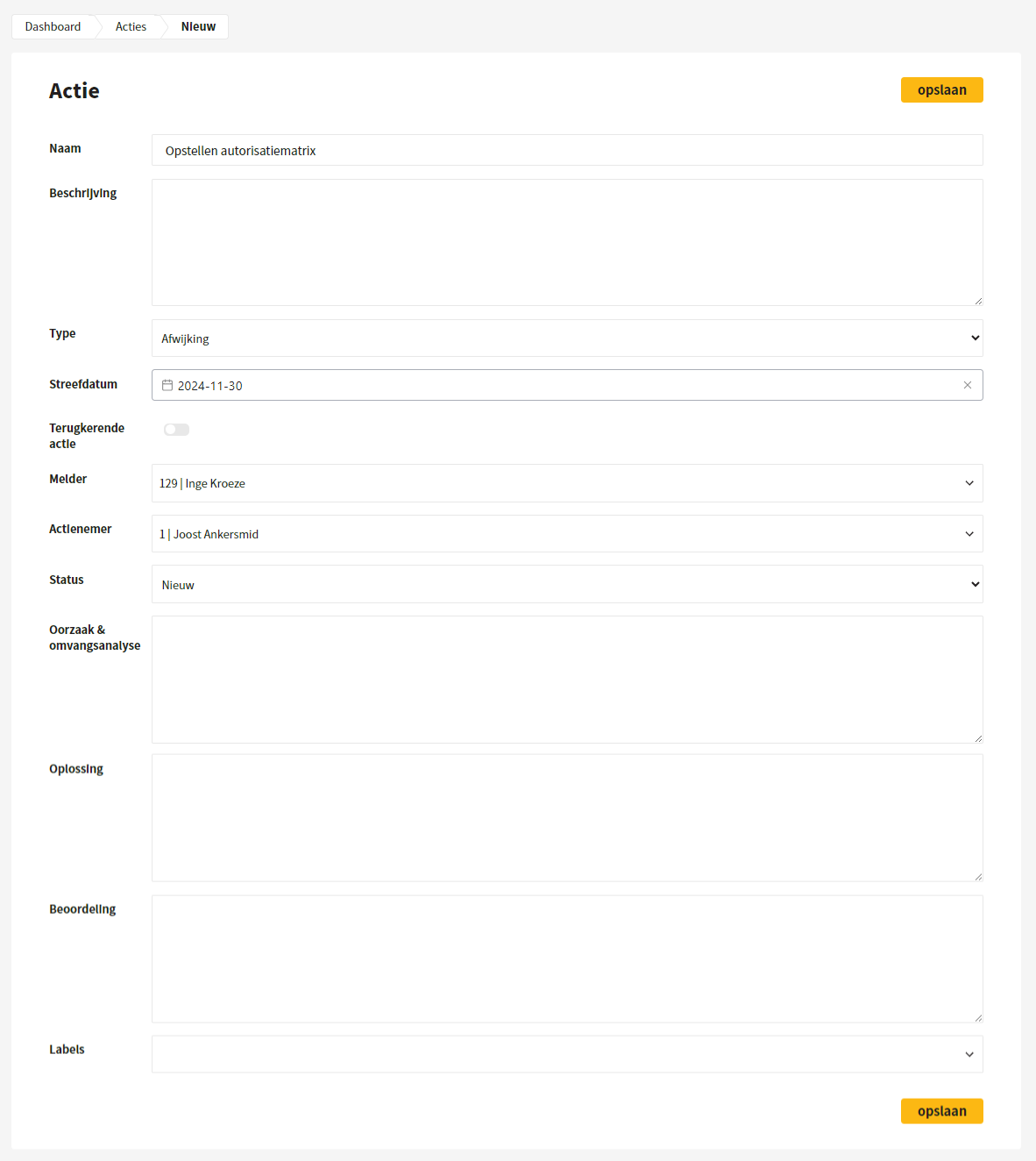
When editing actions, there is room to carry out a root cause and scope analysis, describe a solution, and perform an assessment.
{% hint style="warning" %}
Note: which of these three fields are shown depends on the action type. This can be set in the company settings, as can the help text shown in these fields.
{% endhint %}
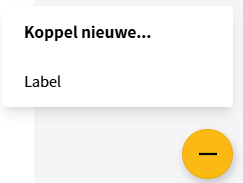
Adding a label is done via the yellow plus at the bottom right of the screen. Followers of the action receive an email that the labels have been changed.
## Mark action as complete
Once an action has been completed, it can be marked as complete: edit the action and change the status to 'Completed'. If a recurring action is marked as complete, a duplicate of the current action is created and the target date is automatically extended by the set frequency. Followers receive an email that the status has changed.
## Followers and reactions
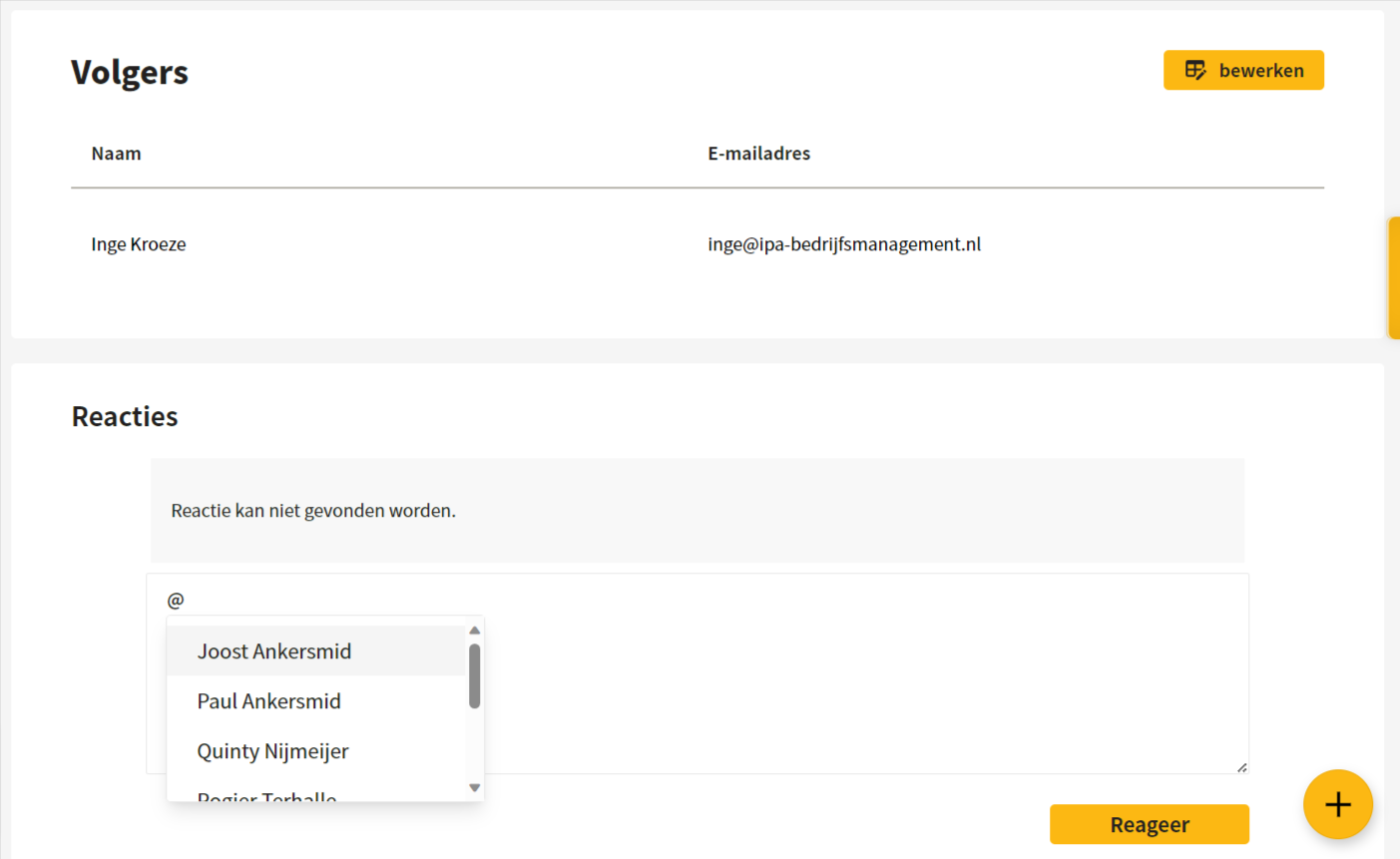
It is possible to add followers and respond to an action, so that the followers keep each other informed about the current status. Tagging a person in a message or reaction can be done with an @. The followers receive an email about this.
## Creating a control audit from an action
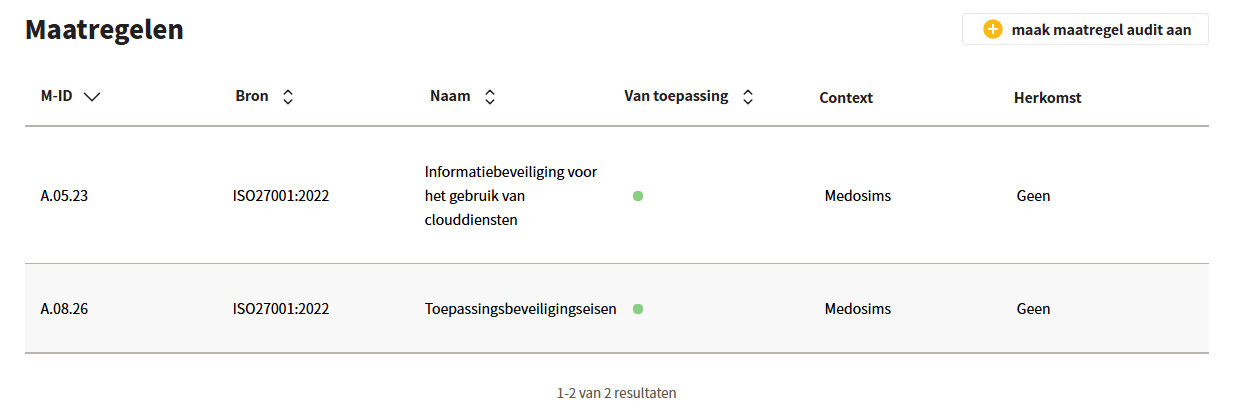
Under 'Controls' the controls linked to the action are shown. If you click 'create control audit' at the top right, an audit is created directly for the displayed controls, with the name 'Audit following action …'. See [Control audits](/en/checken/maatregel-audits.md).
## Creating a risk evaluation from an action
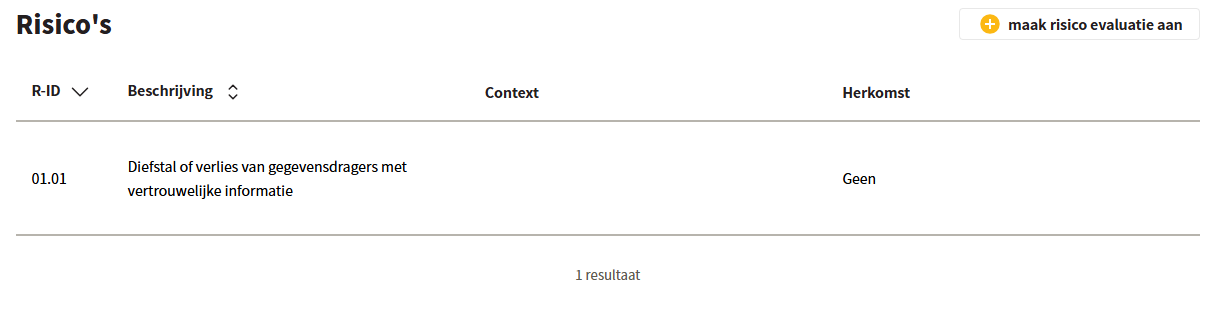
Under 'Risks', the risks linked to the action are shown. If you click 'create risk evaluation' at the top right, an evaluation is created directly with the name 'Evaluation following action …'. See [Risk evaluation](/en/checken/risico-evaluatie.md).
## Duplicating actions
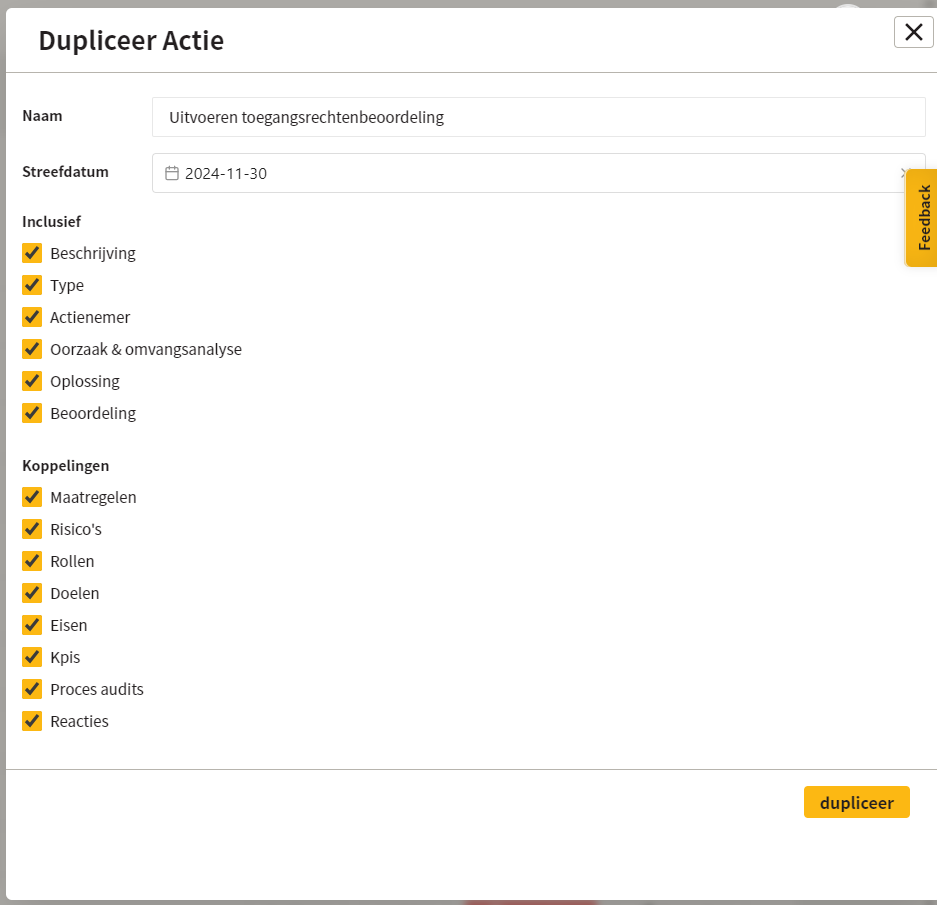
Actions can be duplicated once they have been expanded. You can choose which elements of the action are included in the duplicate. The name and target date of the new action can be changed immediately.
## Exporting actions
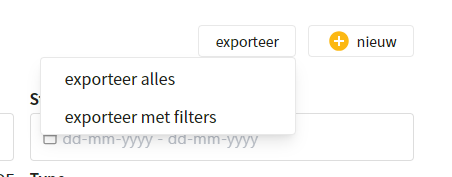
Actions can be edited and exported in xlsx format. When exporting, all actions can be included, or only the actions that meet the active filters.
---
# Agent Instructions
This documentation is published with GitBook. GitBook is the documentation platform designed so that both humans and AI agents can read, navigate, and reason over technical content effectively. Learn more at gitbook.com.
## Querying This Documentation
If you need additional information that is not directly available in this page, you can query the documentation dynamically by asking a question.
Perform an HTTP GET request on the current page URL with the `ask` query parameter, and the optional `goal` query parameter:
```
GET https://docs.controlbee.nl/en/acties.md?ask=&goal=
```
`ask` is the immediate question: it should be specific, self-contained, and written in natural language.
`goal` is optional and describes the broader end goal you are ultimately trying to accomplish on behalf of the user. GitBook uses it to tailor the answer towards what is most useful for that goal.
The response will contain a direct answer to the question and relevant excerpts and sources from the documentation.
Use this mechanism when the answer is not explicitly present in the current page, you need clarification or additional context, or you want to retrieve related documentation sections.