> For the complete documentation index, see [llms.txt](https://docs.controlbee.nl/llms.txt). Markdown versions of documentation pages are available by appending `.md` to page URLs; this page is available as [Markdown](https://docs.controlbee.nl/controlbee-docs/en/checken/maatregel-audits.md).
# Control audits
Assess one or more controls separately from a process audit
During the Control audit, one or more Controls can be audited or (re)assessed at the same time. For example, when a deviation has previously been identified, or when new Controls are added to the context.
## Create Control audit
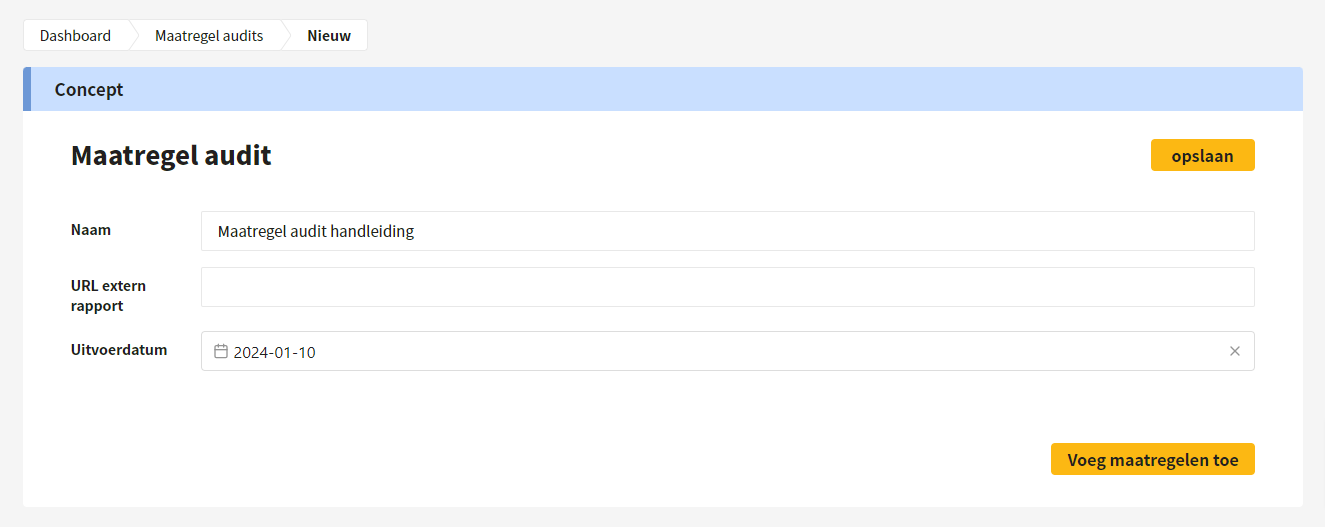
The user gives the audit a name and enters the execution date. By clicking 'add Controls' or 'save', the audit is saved and Controls can be added.
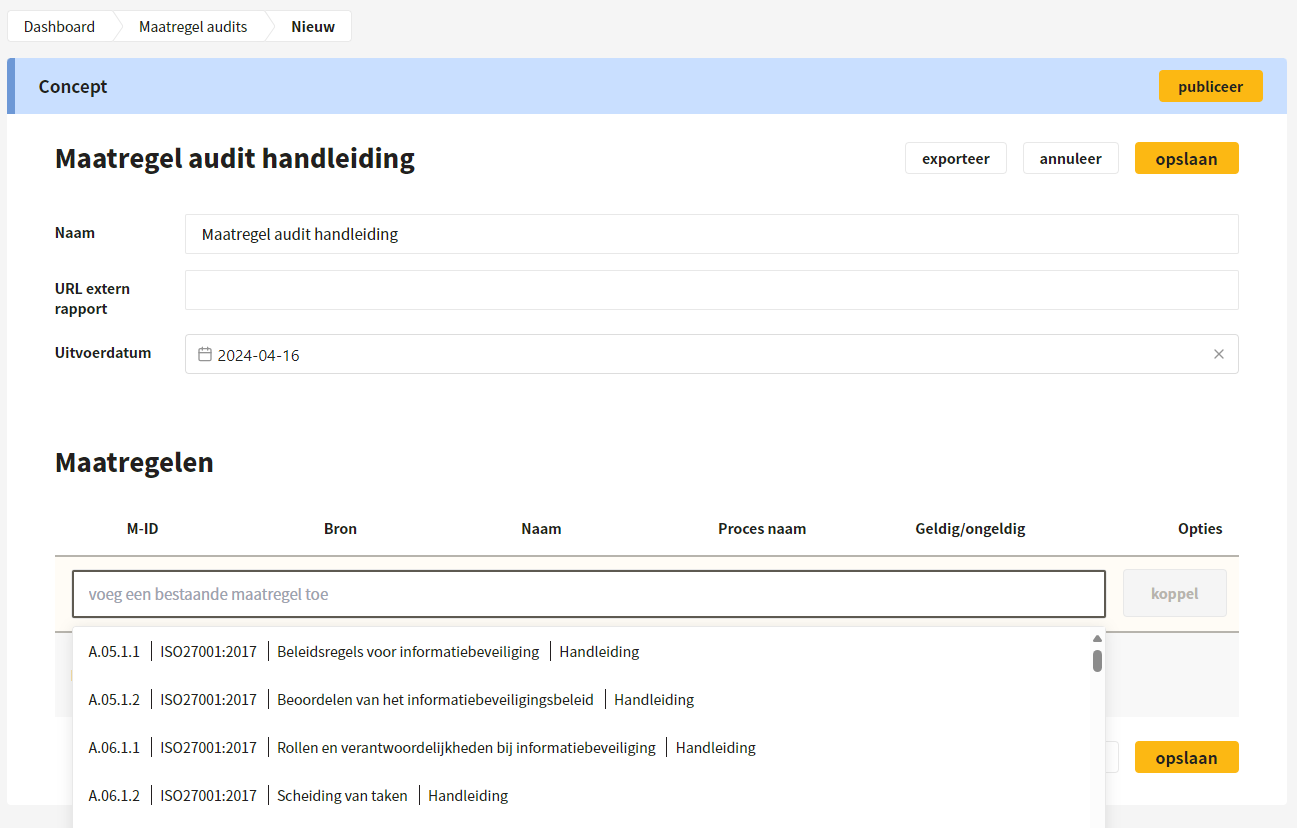
By clicking 'add an existing Control', Controls can be linked to the audit. The user decides which Controls should be audited. If a Control is linked to multiple processes, the Control is added to the Control audit for all those processes.
{% hint style="success" %}
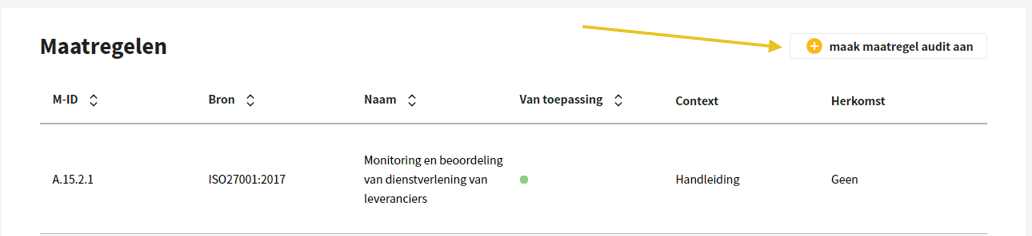
A Control audit can also be created via an action to which Controls are linked.
{% endhint %}
{% hint style="warning" %}
Note: only Controls that are linked to a process can be audited.
{% endhint %}
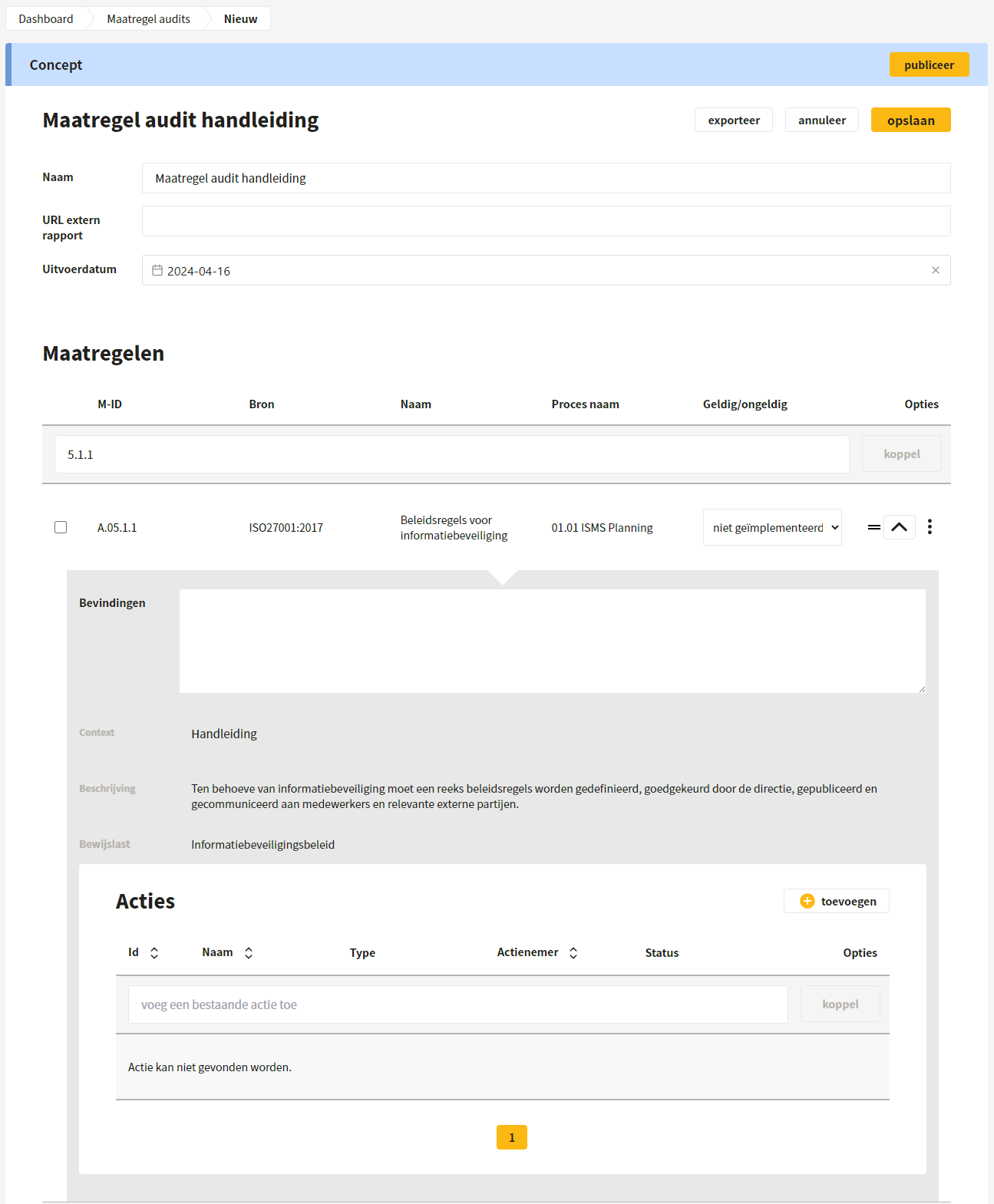
For each Control, findings can be recorded and it can be indicated whether the Control is not, partly or fully implemented. In addition, existing actions can be linked and new actions can be added.
## Group Controls
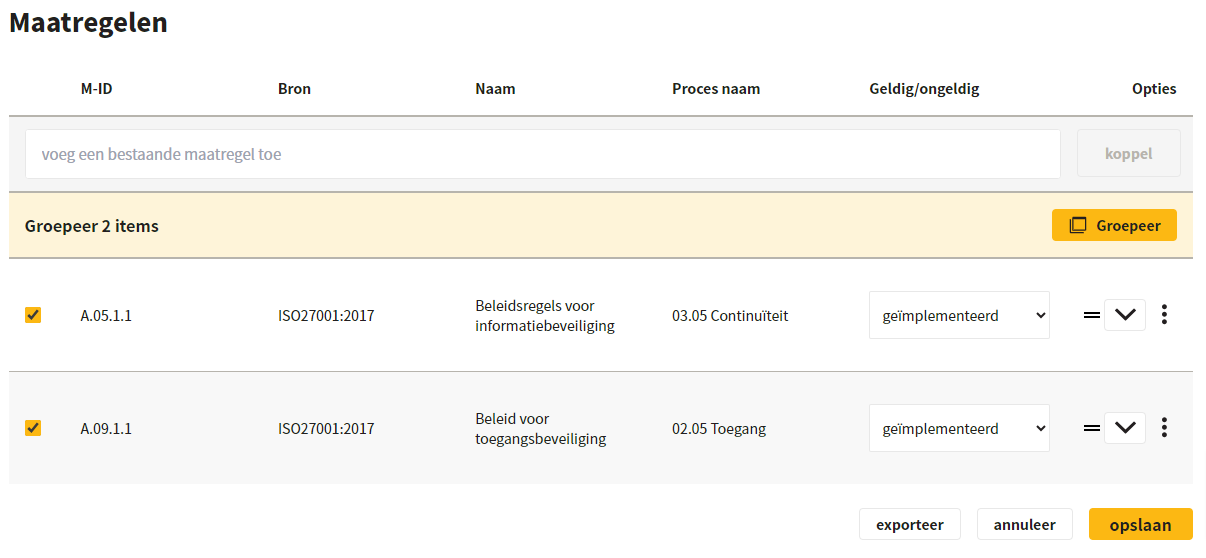
It is also possible to group Controls. By checking the Controls and clicking 'Group', they are merged; the findings are then automatically merged.
## Save and publish
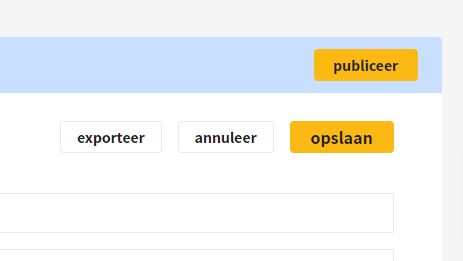
After saving, the Control audit is in draft and can be edited. When the audit is fully completed, it can be published. After publication, the Control status is updated.
## Export, withdraw and edit
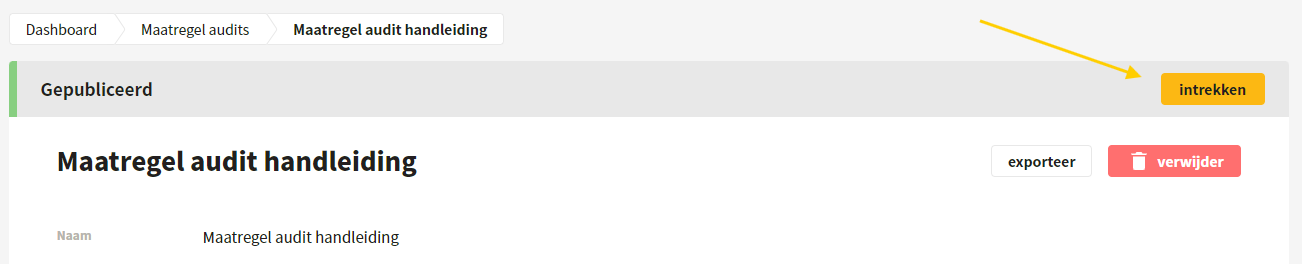
After publication, an export can be made in docx or pdf format. If the Control audit needs to be edited again after publication, it can be withdrawn. After editing, the audit must be published again.
---
# Agent Instructions
This documentation is published with GitBook. GitBook is the documentation platform designed so that both humans and AI agents can read, navigate, and reason over technical content effectively. Learn more at gitbook.com.
## Querying This Documentation
If you need additional information that is not directly available in this page, you can query the documentation by asking a question.
Perform an HTTP GET request on the following URL with the `ask` and `goal` query parameters:
```
GET https://docs.controlbee.nl/controlbee-docs/en/checken/maatregel-audits.md?ask=&goal=
```
`ask` is the immediate question: it should be specific, self-contained, and written in natural language.
`goal` is what the user is ultimately trying to achieve, the reason they need the answer. Sharing it helps GitBook give you a better, more relevant answer. A goal is most helpful when it describes the outcome the user wants rather than restating the question. For example, with `ask=how do I create an API token`, a goal like `automate deployments from our CI pipeline` lets GitBook tailor the answer to that use case.
The response will contain a direct answer to the question and relevant excerpts and sources from the documentation.
Use this mechanism when the answer is not explicitly present in the current page, you need clarification or additional context, or you want to retrieve related documentation sections.