> For the complete documentation index, see [llms.txt](https://docs.controlbee.nl/llms.txt). Markdown versions of documentation pages are available by appending `.md` to page URLs; this page is available as [Markdown](https://docs.controlbee.nl/controlbee-docs/de/profiel/bedrijfsbeheer/kpi-scores.md).
# KPI-Werte
Die Bewertungswerte, die einer KPI zugeordnet werden können
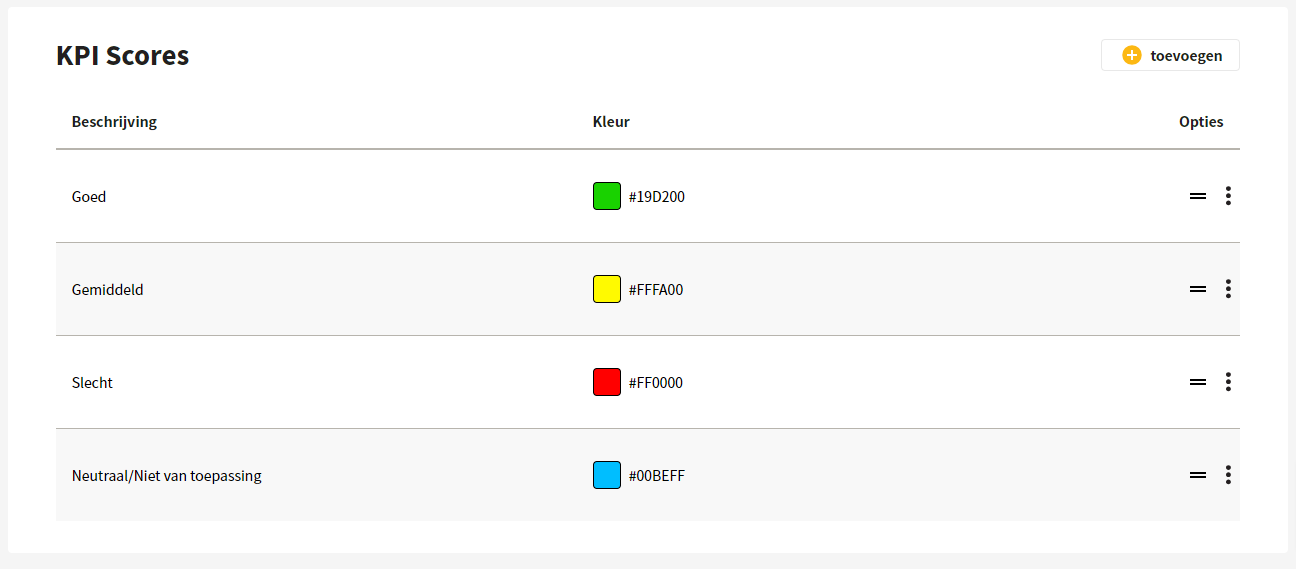
Der Administrator findet hier einen Überblick über die verschiedenen Scores, die mit einem KPI verknüpft werden können. Der Score eines KPIs kann prozentual dargestellt werden oder ausdrücken, ob eine bestimmte Handlung ausgeführt wurde — denken Sie an ja/nein/teilweise oder gut/neutral/schlecht.
## KPI-Score anlegen
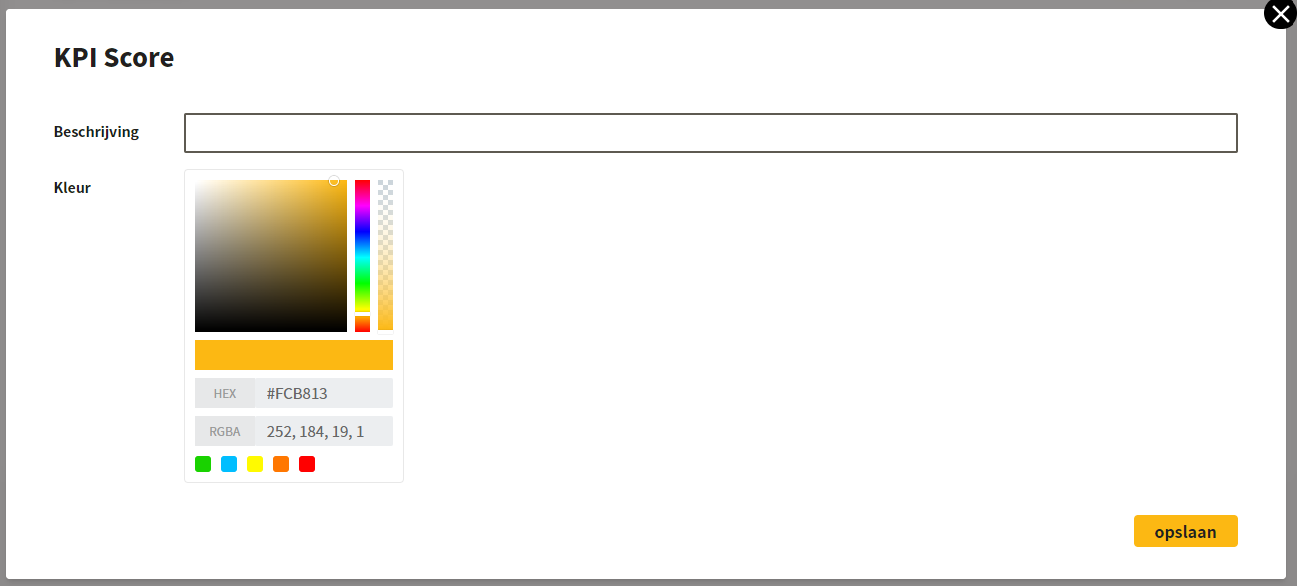
Neue KPI-Scores werden durch Eingabe einer Beschreibung angelegt, zum Beispiel ja/nein/teilweise oder ein Prozentwert. Anschließend kann eine Farbe gewählt werden.
## Bearbeiten und löschen
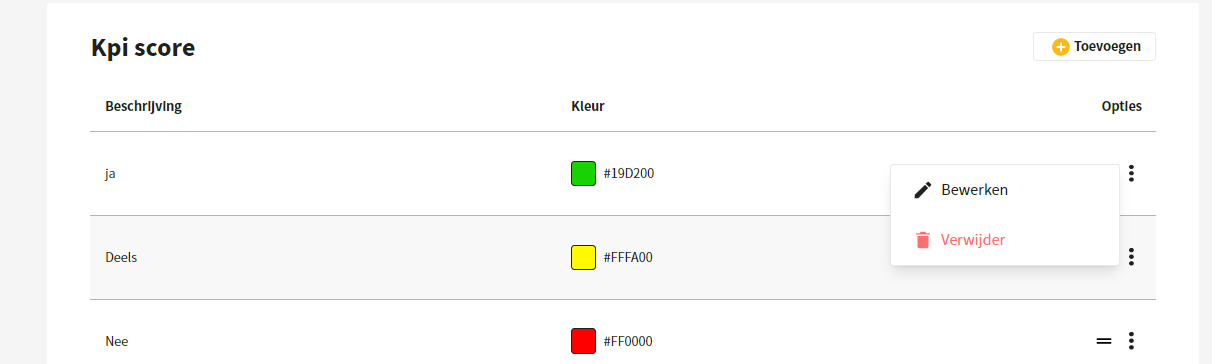
Bestehende KPI-Scores können bearbeitet oder gelöscht werden, indem man auf die drei Punkte klickt. Die Reihenfolge der Bewertungswerte kann geändert werden, indem man sie an den Strichen zieht.
---
# Agent Instructions
This documentation is published with GitBook. GitBook is the documentation platform designed so that both humans and AI agents can read, navigate, and reason over technical content effectively. Learn more at gitbook.com.
## Querying This Documentation
If you need additional information that is not directly available in this page, you can query the documentation by asking a question.
Perform an HTTP GET request on the following URL with the `ask` and `goal` query parameters:
```
GET https://docs.controlbee.nl/controlbee-docs/de/profiel/bedrijfsbeheer/kpi-scores.md?ask=&goal=
```
`ask` is the immediate question: it should be specific, self-contained, and written in natural language.
`goal` is what the user is ultimately trying to achieve, the reason they need the answer. Sharing it helps GitBook give you a better, more relevant answer. A goal is most helpful when it describes the outcome the user wants rather than restating the question. For example, with `ask=how do I create an API token`, a goal like `automate deployments from our CI pipeline` lets GitBook tailor the answer to that use case.
The response will contain a direct answer to the question and relevant excerpts and sources from the documentation.
Use this mechanism when the answer is not explicitly present in the current page, you need clarification or additional context, or you want to retrieve related documentation sections.