> For the complete documentation index, see [llms.txt](https://docs.controlbee.nl/llms.txt). Markdown versions of documentation pages are available by appending `.md` to page URLs; this page is available as [Markdown](https://docs.controlbee.nl/controlbee-docs/de/checken/auditplanning.md).
# Auditplanung
Interne Prozessaudits auf Grundlage der Gültigkeit von Prozessen planen
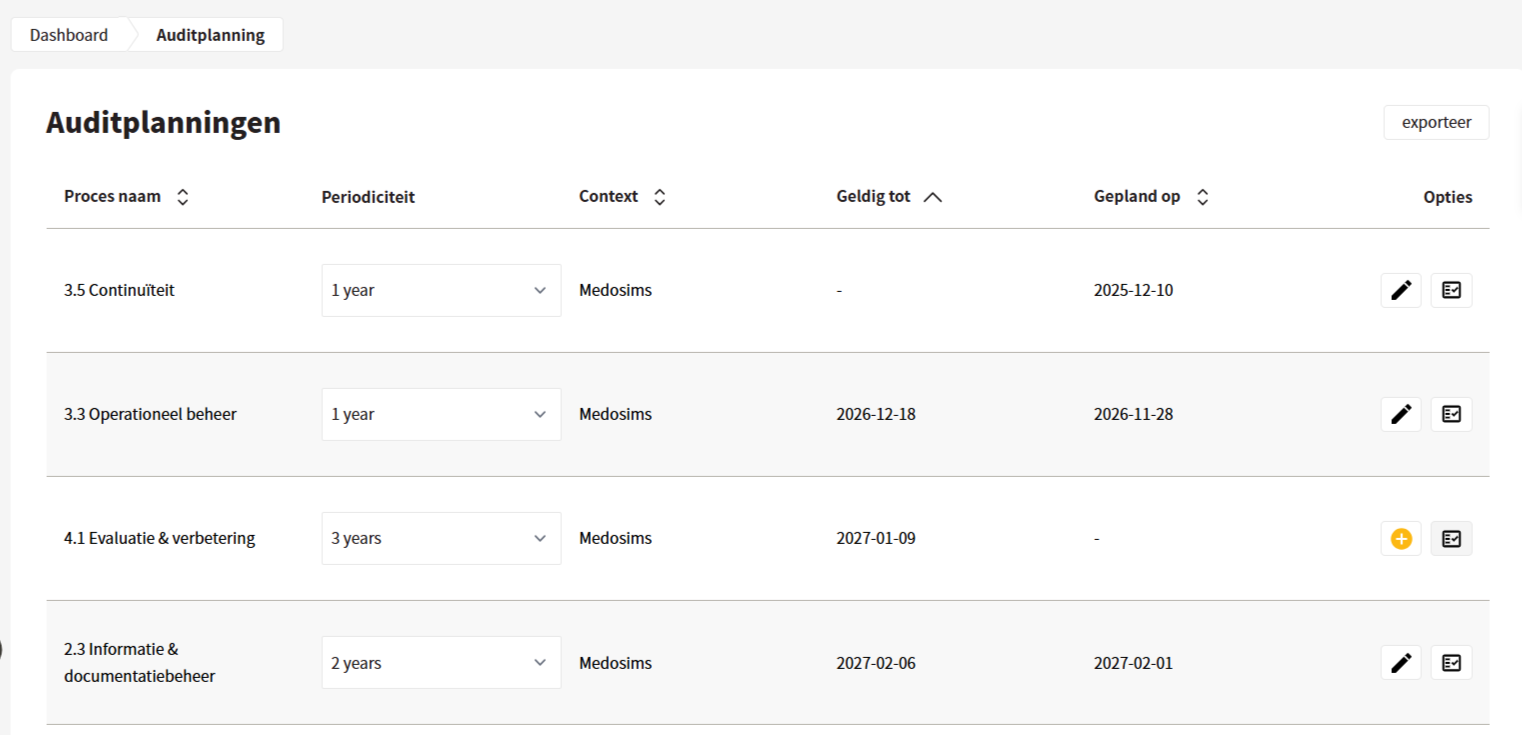
Interne Audits werden mit Auditplänen geplant. Der Benutzer erstellt auf Grundlage der Gültigkeit der Prozesse einen Plan für die internen Prozessaudits. Ist ein Audit geplant, wird das Planungsdatum in dieser Übersicht angezeigt und kann bearbeitet werden.
## Periodizität festlegen
In der Übersicht der Auditplanung kann pro Prozess eine Periodizität festgelegt werden, die als Richtlinie für die Auditfrequenz gilt.
{% hint style="info" %}
Sobald der Auditor beim Abschließen eines Prozessaudits ein Datum für das nächste Audit einträgt, wird diese Periodizität verwendet, um automatisch ein Datum vorzuschlagen.
{% endhint %}
## Auditplanung erstellen
Mit der Plus-Schaltfläche in der Übersicht oder direkt aus der Prozessübersicht kann eine Auditplanung erstellt werden.
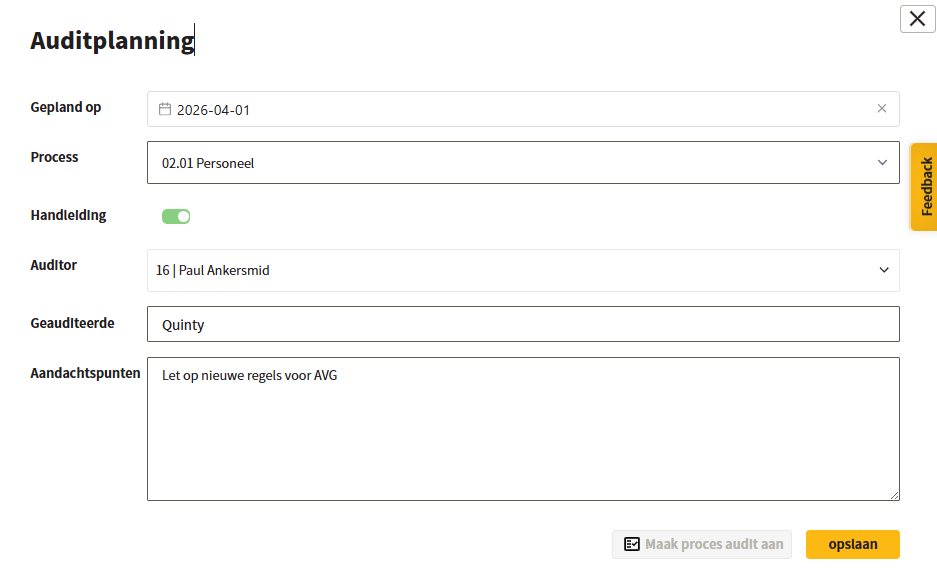
Beim Erstellen gibt der Benutzer das Planungsdatum, den Auditor, den Geprüften und eventuelle Aufmerksamkeitspunkte für das Audit an. Der Prozessname ist bereits vorausgefüllt und kann nicht angepasst werden.
Nachdem die Auditplanung gespeichert wurde, kann sie bearbeitet werden oder für den genannten Prozess kann ein Prozessaudit erstellt werden. Siehe [Prozessaudits](/controlbee-docs/de/checken/proces-audits.md).
## Auditplanung exportieren
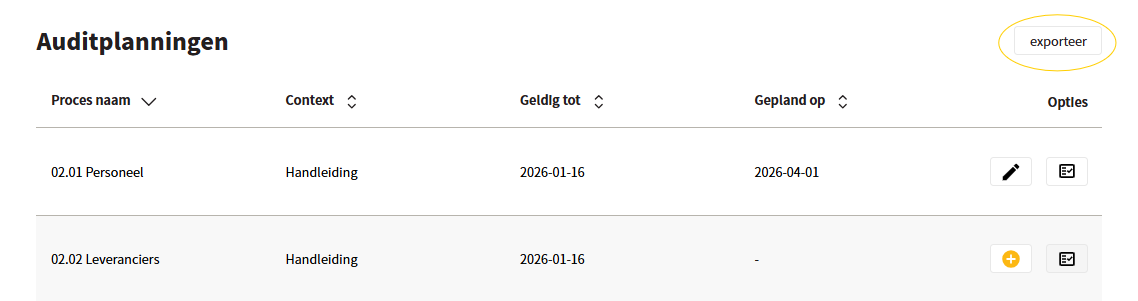
Um einen Überblick über die geplanten Audits zu erhalten, kann nach Excel exportiert werden.
---
# Agent Instructions
This documentation is published with GitBook. GitBook is the documentation platform designed so that both humans and AI agents can read, navigate, and reason over technical content effectively. Learn more at gitbook.com.
## Querying This Documentation
If you need additional information that is not directly available in this page, you can query the documentation by asking a question.
Perform an HTTP GET request on the following URL with the `ask` and `goal` query parameters:
```
GET https://docs.controlbee.nl/controlbee-docs/de/checken/auditplanning.md?ask=&goal=
```
`ask` is the immediate question: it should be specific, self-contained, and written in natural language.
`goal` is what the user is ultimately trying to achieve, the reason they need the answer. Sharing it helps GitBook give you a better, more relevant answer. A goal is most helpful when it describes the outcome the user wants rather than restating the question. For example, with `ask=how do I create an API token`, a goal like `automate deployments from our CI pipeline` lets GitBook tailor the answer to that use case.
The response will contain a direct answer to the question and relevant excerpts and sources from the documentation.
Use this mechanism when the answer is not explicitly present in the current page, you need clarification or additional context, or you want to retrieve related documentation sections.